Snowplains Help |
 |






Index |
Connect to snowplains |
Penguin info |
What's new? |
Help |
Building guide |
Snowplains Meets
General Help
Commands
SITEBAN
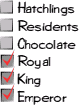
Usage: siteban <subcommand>
For Royals and above:
siteban commands List available siteban subcommands
siteban examine Display full details of a siteban
siteban list List all defined sitebans
For Kings and above:
siteban addrange Add an address range to a specific siteban
siteban create Create a new siteban
siteban delete Delete a siteban
siteban delrange Remove an address range from a siteban
siteban expire Change the expiration date for a siteban
siteban reload Reload sitebans from disk (loses unsaved changes)
siteban reason Set the reason for a siteban
siteban rename Rename a siteban
siteban sync Save siteban definitions to disk
siteban type Change the type of a siteban (none, newbie, complete)
The 'siteban' command can be abbreviated to 'sb', and 'examine' to 'x'.
AMEND
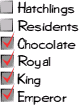
Usage: amend <log> <comment>
Allows staff to add explanatory comments to logfiles.
You can add comments to any logfile that you can view using vlog. The
comment itself will be added to the current end of the log.
See also: archive_log, check logs, vlog
Consultancy
Much as the staff are on hand to provide you with any assistance you
might require with Snowplains, they aren't provided as a catch-all
technical support line.
If you have been referred to this help file, it means your questions are
above and beyond the normal workload of being a staff member and into the
realms of independent consultancy.
Should you still wish to pursue your line of enquiry, now is the time to
negotiate with your chosen staff member as to which rate you will be
billed at.
All billing rates are set by individual staff members and any consultancy
provided is subject to an exclusive contract between you and that staff
member and not the responsibility of Snowplains or the Snowplains Admin.
Alternatively, take your questions to an appropriate support line or search
the internet - just don't continue to harass the staff member.
Cows
Cows are ruminants or cud-chewing animals eating hay, corn, soybeans,
grass, wheat, and ensilage. Each cow eats 20 to 25 pounds of grain, 40 to
60 pounds of ensilage, 30 pounds of hay and drinks 15 to 25 gallons of
water every day.
Cows have 12 large back molars in each jaw, and 8 incisors located on the
bottom jaw, and a thick pad on the top jaw.
A cow has 4 stomachs. They are: the rumen, where the food is first stored,
the reticulum where food that has been more thoroughly chewed is stored
once the cow has chewed the cud and has swallowed it; the omasum where
extra water is squeezed out, and finally the food goes to the abomasum.
Some of the digested food is then stored in the cow's udder where it is
made into milk.
In a year, a dairy cow produces 1,500 gallons of milk.
Cows are sedentary animals spending up to 8 hours a day chewing the cud
while standing still or lying down to rest after grazing. When going to be
milked, a certain cow, in an established herd, always leads the others with
the weaker and older cattle trailing behind the group.
While some cows can live up to 40 years, they generally do not live beyond
20 years. In that time dairy cows may have as many as 10 to 12 calves.
India has the most cattle, about 200 million.
Tauraphobia is the fear of bulls, cows and oxen. One of the Snowplains
staff is a tauraphobe.
See also: Molt
F/X File Commands
Things you can do with your f/x files:

  title          Change the message after your name.
  prefix         Change the message before your name.
  description    Write a long description of yourself.
  tagline        Write a short one-line comment.
  plan           Set a message for when you're not on the program.
  email          Set your email address.
  public         Make your email address public for everyone to see.
  private        Make your email address private (only staff can see it).
  gender         Change your sex.
  recap          Change the capitalisation of your name.
  age            Set your age (0 turns off).
  birthday       Set your birthday (0 turns off).
  pet_of         Makes you the net.pet of someone.
  slave_of       Makes you the slave of someone.
  picture        Set the URL of a picture of you.
  url            Set the URL of your home page.
  location       Set your real life location.
  rlname         Set your real life name.
  icq            Set your ICQ number.
  purity         Set your purity score.
See also: examine, finger
Name Changes
If you want to change your character's name, you must be prepared to have
your current character nuked, and to be re-ressed as the new name.
You must email snowadm@snowplains.org from your registered email account,
stating the current name, that you are prepared for it to be nuked, and
the new name that you want.
You will lose ALL information attached to the old character, including
rooms, list (contents AND size), mail, objects, sps and quiz scores,
descriptions, and login time.
Although we _may_ restore list size, we can not restore any other part
of your character. You are recommended to take a copy of all room
descriptions, read all mail, etc before requesting a rename.
See also: nuke, rename
Etiquette
Although Snowplains is a place where freedom of speech is largely
permitted, it' s a good idea to bear in mind that not everyone may want
to see everything you type!
Keeping things on the right channels is a part of etiquette which is
expected on here - the channels and their highlighting levels exist for
clarity.
As a few guidelines:
- Don't clog up the room channel by repeatedly spamming with socials.
- Don't have a conversation cross-channels, as some people may then
only end up with half of it.
- Don't send messages to everyone unless it's appropriate - an example
of misuse is routinely shouting messages when logging on or off.
- Don't overuse capital letters, for it comes across that you are raising
your voice, and that's not nice.
See also: spam, caps, rules
LURKMODE
Usage: lurkmode <idlemsg>
Sets an idle message which will not be lost if you do commands. Nor will
your idle time be reset.
Use 'lurkmode' on its own to stop lurking.
See also: idlemsg, idle
HEADLINES
Usage: headlines
Display the current UK news headlines, updated on the hour every hour.
ICQ
Usage: icq <icq number>
Set your ICQ number to be displayed on your finger file.
For more information about ICQ, visit their website at:
http://www.mirabilis.com/
PET_OF
Usage: pet_of [<name>]
Become someone's net.pet, allowing you to snuggle up with your new owner,
and be taken care of all day long.
'pet_of' without a name makes you a free creature, to fend for yourself.
You may only be the pet of one person.
See also: lss, slave_of
Typos
Sometimes it's really difficult to read really bad typing.
You might notice this especially if you ever talk to Rillaith or Ghoti.
Theri tpying freqquentl ylooks liek theis!
Some Penguins have patent Rilli-decoders which helps alleviate the worst
effects of this, failing that, having built in typo-correction really helps.
PURITY
Usage: purity [<percentage>]
This sets your purity score to <percentage> pure, which will then be
visible to anyone who 'examine's you.
'purity' on its own blanks your purity score.
For an indication, 12% means someone is a little devil, and 98% means
someone is very angelic indeed! A copy of the MIT 500 question purity test
(aka the ISO standard) can be found on the ftp site.
Snowplains T-Shirts
We finally have Snowplains t-shirts. The first batch have all been sold, but
we're ordering some more. So if you want to own clothing at the pinnacle of
fashion, email berry@snowplains.org so he knows how many to order.
The design is on the FTP site, in directory 'pictures/images'.
The cost is 10 quid including postage.
Annulment of Marriages
If you get net.married on Snowplains, and later get net.divorced, this
will permanently be shown on your x file as long as your character remains
resident on Snowplains.
The only condition under which the admin will consider removing a
relationship from your x file is if the player it relates to is no longer a
resident.
Any marriage on Snowplains is your own choice, unless you're using the
commands to spam the talker, when you might be married as a disciplinary
action.
OBJ_MSGS
Usage: object <msgtype> <num> [<message>]
These commands can be used by the owner of an object to attach a message to
certain events involving the object.
There are 3 events which currently have messages attached. These are:
dropmsg Dropping an object.
succmsg Picking up an object.
failmsg Failing to pick up an object. (Not yet implemented.)
These commands as they are set the message displayed to the person
performing the action which results in the message being displayed. eg:
The daisy makes a loud "Kerthud" as you let it fall to the ground.
The complementary messages displayed to everyone else in the room are set
using 'odropmsg', 'osuccmsg', and 'ofailmsg', and will display the name of
the person performing the action in front of the message you set, eg:
Rillaith drops Marble's Giant Daisy.
See also: objects
Armadillos
The armadillo is a wonderful creature; smooth on the inside and crunchy on
the outside.
Fwuffy armadillos are, however, a much cuter breed but, as a consequence,
much rarer. Rillaith currently keeps a fwuffy 'dillo next to her bed for
those special moments when she needs something to snuggle against. Be sure
to ask her all about him.
As a word of warning, starching your fwuffy 'dillo is ill-advised and might
result in a call from the RSPCA. You have been warned!
Note for Americans and other aliens: It's okay, it's not just a cultural
difference or anything - we don't understand either. The Admin.
TLAs, or Three-Letter Acronyms
There are many TLA's (using "three" as meaning "three for sufficiently large
values of three") in use on the internet, especially amongst spods, so, for
all those people who haven't come across them yet, here are a few of the
more commonly seen ones, and their meanings.
AFAIK As Far As I Know
AFK Away From the Keyboard
BBL Be Back Later
BBS Be Back Soon
BRB Be Right Back
BTW By The Way
CBA Can('t) Be Arsed (interchangeable, but usually negated)
FYI For Your Information
IIRC If I Remember Correctly
IM(H)O In My (Honest/Humble) Opinion
IRL In Real Life
IVL In Virtual Life
IYSWIM If You See What I Mean
LOL Laughs Out Loud
OOC Out Of Curiosity
OOI Out Of Interest
OTOH On The Other Hand
ROTFL Rolls On The Floor Laughing
TTFN Ta Ta For Now
WTF the Universal Interrogative Particle
Rock and Roll
Yes, we have a rock that rolls.
See also: Marble
Illiane
Of all the residents on Snowplains, Illiane is one to watch out for. It's
not so much the mad whirl of bounces, sulks, leers, tirades and
insinuations that she brings to people's lives; more the plain depth to
which she can drag a conversation.
If you really feel up to it, come revel in the light of Illiane's glowing
personality...and be left dazed, confused and with just the slightest
feeling that you may never be able to call yourself sweet and innocent
again.
Language
Please do not swear or use unacceptable language on public channels (ie in
the main room, in shouts, etc). Unacceptable is deemed to be anything which
causes offence to another user, and if a member of staff disciplines you for
bad language, then please respect that some people are more easily upset by
such language than you.
Please also note that foreign languages are considered spam on public
channels, since many users will not understand them. Please restrict
yourself to modern English only on these public channels.
The above rules also apply to titles, since they're shown globally on the
'who' listing.
Freer speech is acceptable in the colony, and in personal tells _provided_
the recipient is not offended by your language. Please respect other users
sensitivities in this matter.
Mav
Definition: A message or action sent by accident to the wrong recipient(s);
to send such a message or action.
After making such a mistake, the person at fault will usually just say
"mav" to the accidental recipient(s) in order to convey that the previous
message wasn't intended for them and should just be ignored.
'Mav' derives from a player named Maverick on the original MU*, TinyMUD.
Back in 1989, when the 'whisper' command was newly written, he became
infamous for a couple of choice, misdirected emotes. The term is now widely
used in the MU* community and was finally introduced to Snowplains by
Bruce.
TIMEOUT
Usage: timeout <name>
This allows you to remove someone from the program if they haven't been on
for a long time, and their existence is preventing a newbie from gaining
residency due to clashing names.
This may only be done if the old player fits all of the following conditions
- There must be a clashing newbie on (abuse of this WILL be taken seriously)
- Player's last login must be more than one month ago
- Player's total login time must be less than two days
- Player's total login / time since last on must average < two hours / month
Admin (only) can supress some of these conditions by adding a - to the end of the name.
If you are going to be away from the net for a long period of time (eg a
couple of months) not during university holidays, and you plan to be coming
back in the future, ask an Emperor to grant you the no_timeout priv to
ensure your character does not get wiped while you are away.
Multiple Characters
Multiple characters are not allowed, under any circumstances. If you forget
your password, email snowadm@snowplains.org and ask for it to be changed,
do NOT get a second character ressed. Indeed, coming on as a newbie
repeatedly (whether you already have a character or not) is frowned upon,
and will be dealt with appropriately.
If you are caught with multiple characters, you risk losing them all.
The only exceptions to this rule are staff, who may have one second, which
they may only use as an alternative to going off duty, ie when there are
other active staff connected, and not at the same time as they are connected
as their normal character.
See also: nuke
TFO
Usage: tfo <name> <msg>
Tells to the friends of <name> if you are on their friend's list. Also 'to'
or '}'.
'rfo', 'ro', and '{' send an emote to the friends of <name>.
'fto' sends a think to the friends of <name>.
'fso' and 'fdo' send a sing or a dream respectively, to friends of <name>.
'blockfriendsof' blocks all messages going to the friends of anyone.
Login Messages
No, we don't plan on having these. The messages displayed when someone
connects or disconnects are part of the atmosphere of Snowplains, and we
plan on keeping them just the way they are.
Cinnamon
Feed it to Bruce. Oh yes. And remember to stand well back. And have a
camera with plenty of film *very* handy!!
Reviewing Tells
Although a few people have enquired, there are no plans to allow for
reviewing tells or repeating tells to other people. There are telnet
clients which support this for the majority of platforms, so we recommend
downloading one of these. (Eg: tiny fugue, tush, winworlds, etc)
Web Interface
This is still fairly new, and as such, under development. Most messages
which require some form of formatting or colour have been HTML-ised, but
you may find there are still one or two things which don't quite look right.
Please bear with us on this, it's a laborious process! If you find something
particularly dodgy, use the 'bug' command.
If you connect to Snowplains via normal telnet after using the web
interface, you will need to type 'country uk' (or whatever is appropriate)
in order to stop seeing HTML tags.
See also: country
Idling
If you have been inactive for 30 minutes, you will be disconnected from
Snowplains, even if you have set an idlemsg. Kings and Emperors who are on
duty get longer, since they are probably doing something for Snowplains,
and hey, they coded it anyway, so who's complaining?!
See also: idle, idlemsg, triggering
Triggering
Triggering, either on the idle-warning messages or some other event such as
someone else connecting, is frowned upon, and should not be done under any
circumstances. Continued use will be dealt with appropriately.
See also: warn, banish, nuke
QUIZ
quiz Do a quiz command, or enter quiz mode.
Via the quiz command, or whilst in quiz mode (recommended):
play Join in the quiz. Happens automatically for your first answer.
answer Give your answer for the last question.
score Display the current scores for all players, and the winner.
natter Talk to everyone playing the quiz or in quiz mode.
commands List commands available in this mode.
round Redisplay the current round.
question Redisplay the current question.
leave Leave quiz mode.
giveup Wimp out of the quiz altogether and stop playing.
For quiz masters only:
start Start a quiz.
round Tell players the current round.
question Ask a new question.
answer Give the answer to the last question.
lsa List the answers so far for the current question.
tick [<num>] Award someone a number of points. Default is 1.
cross Tells someone they're wrong.
finish Finish a quiz, assuming there is a clear winner.
Quiz Masters
Quiz masters are the only people who can run quizzes on Snowplains, and
have special commands to allow them to do so. If you would like to be a
quiz master, speak to an Emperor, who will give you the priv.
Before you run a quiz, make sure you have read 'help quiz' and know what
the commands are, and prepare some questions in advance. If we get a large
number of complaints from participants in your quizzes about the poor
quality of them, we will remove this priv from you, so please try to listen
to the residents to see what type and level of difficulty of questions you
can ask. Multi-round or A-Z quizzes are usually best received!
See also: quiz
LIST_SLAVES
Usage: list_slaves
Lists the people currently on who are your slaves.
Can be abbreviated to 'lss'.
See also: slave_of
COUNTRY
Usage: country [<country code>]
Change the country that Snowplains thinks you are in.
This affects the language that output appears in. In the future it may do
other things like set your jetlag automatically.
The country code is the standard two-character country code used at the
end of Internet addresses (eg uk, us, etc). If no support is provided
you will get the default (UK English) messages.
See also: jetlag
Games
Currently Snowplains has two playable games. These are i-spy, and
scissors-paper-stone.
If you have any other games you would like to see coded, remember the
'suggest' command!
See also: sps, ispy
SPS
Usage: sps <player> <scissors|paper|stone>
Invite someone to play scissors-paper-stone with you, or play against a
player who has invited you.
'sps' on it's own cancels the current invitation, and 'sps' <someone else>
will cancel the current invitation before inviting another player to a game.
See also: ispy, games
BUY
Usage: buy <object #>
Buy an object, at a cost of login time.
This will reduce your login time by the amount indicated when looking at
the object.
See also: objects, inventory
INVENTORY
Usage: inventory
Displays a list of the objects you are carrying.
See also: objects, buy
OBJECT
Usage: object <subcommand>
Perform actions on objects. The subcommands are as follows:
object buy Buy an object, in exchange for login time.
object commands List the available object subcommands.
object drop Drop an object into the room you are in.
object get Pick up an object from the room you are in.
object info Display some info about an object.
object inventory List all the objects you are carrying.
The commands for owners of an object are:
object destroy Allows you to completely destroy an object.
object give Changes the ownership and location of the object.
object dropmsg }
object odropmsg } Set messages for an object.
object succmsg } See 'help object_msgs' for more info.
object osuccmsg }
object failmsg } \_ These last two not yet implemented
object ofailmsg } /
Kings +
object chown Change the owner of an object.
object create Create a new object.
object list Lists to a file all the objects there are.
object sell Put an object on sale.
'inventory' and 'buy' can also be used on their own.
See also: object_msgs, inventory, buy
PENGUINFEEDBACK
Usage: peng <your comments>
If you have any comment to make about any Penguin, good or bad, please feel
free to use this command to let us know. Your comments will go to any
admin connected at the time, and will also be saved to disk.
Please use this command for complaints or for praise, as this will let us
know who is doing their job properly. We would also appreciate any comments
you have about our summer penguins.
Please help us by using this command in a serious manner, and not for joking
about, as this will only spam the log and waste disk space, resulting in
this command having to be removed.
This command has also been aliased to 'pfb'
HINTS
Usage: hints <hint rate>
This command sets the rate at which the automatic hints and tips appear.
Use 'hints 0' to turn the hints off altogether.
Saved channels
The z-commands allow you to set a special group which you will join
automatically every time you log in, and can talk on using the shortcut
commands zu (natter), ze (emote), zt (think), zp (premote), zs (sing)
without having to type the group name.
You can leave a z-channel temporarily with the 'grpleave' command, but you
will rejoin it next time you log in.
This is similar to z-channels on other talkers.
To join a z-channel, use 'zc <name>'. To leave, just use 'zc'.
See also: groups, grpjoin, grpleave, grpinfo
GRPLEAVE
Usage: grpleave <group name>
Leaves a group you don't want to be in any more. Useful if group tells are
spamming you.
If you use this to leave a group you used 'zc' to join, you will rejoin the
group when you next log in.
See also: grplist, grpinfo, grpjoin, groups, zc
GRPJOIN
Usage: grpjoin <group name>
Joins a group. Also creates it if the group does not exist.
See also: grplist, grpinfo, grpleave, groups, zc
GRPINFO
Usage: grpinfo <group name>
Shows information about a particular group, including who created it, when,
and who are the members.
See also: grplist, grpjoin, grpleave, groups, zw
GRPLIST
Usage: grplist
Lists the available groups, and whether you are a member of them.
To join a group, simply use it. Or use the 'grpjoin' command.
See also: grpinfo, grpjoin, grpleave, groups, channels
Groups
A group is a shortcut to a list of people. Groups can be used wherever
you could normally use a list of people, for instance in the 'tell' command.
To specify a group, you simply use a # followed by the group name eg.
tell #spods Go to bed!
If you use a group in a command, you automatically become a member of it -
if it doesn't exist, it will be created automatically too!
See also: grplist, grpinfo, grpjoin, grpleave, user_list, channels
Snowplains Newsgroup
The Snowplains UseNet newsgroup is: alt.talkers.snowplains
If your site doesn't have our newsgroup, ask your news administrator!
HELP ME!
Your cries for help go unheeded. Aww :( (Try talking to a Penguin..)
RANK
Usage: rank [<name>|<ranking>|<from> <to>]
Tells you how far down the spods list (the list of login times) you come.
'rank <name>' tells you the position of anyone else, and the spods above
and below them.
'rank <ranking>' tells you who is at a particular ranking.
'rank <from> <to>' lists spods from ranking number <from> to ranking
number <to>.
See also: spods, weekly, wspods
LOCATION
Usage: location <place>
Sets your real-life location, displayed when someone examines you.
See also: rlname
RLNAME
Usage: rlname <name>
Sets your real-life name, displayed when someone examines you.
See also: location
GUESS_ISPY
Usage: guess_ispy <word>
Use this command to guess to word set by 'ispy'.
See also: ispy, sps
ISPY
Usage: ispy [<word>]
The Snowplains version of I-Spy!
'ispy' on its own tells you what you should be guessing.
'ispy <word>' allows you to set a word for others to guess. The word cannot
be changed again for ten minutes.
See also: guess_ispy, sps, games
SLAVE_OF
Usage: slave_of [<name>]
Become someone's concubine (females) or slave (males and others).
'slave_of' without a name makes you a free person.
You may only be the slave/concubine of one person.
Don't get stressed about sexism - it's just for fun!
See also: lss
REGISTRY
Usage: registry
View the registry of marriages and divorces.
See also: marry, wedding, propose, reject, minister
ACCEPT
Usage: accept <name>
Use this to accept someone's proposal of marriage, and become net.engaged!
See also: reject, propose, marry, wedding, registry, minister
REJECT
Usage: reject <name>
Reject someone's proposal of marriage, or withdraw your own proposal to
someone.
Also cancels an engagement.
See also: accept, propose, marry, wedding, registry, minister
PROPOSE
Usage: propose <someone>
This officially asks someone if they will net.marry you.
Please note, you can only have one proposal in the offing at any one time!
Nor can you propose to someone if you are already net.engaged or
net.married, or the other person is net.engaged or net.married.
When someone x's you, it will say if you want to net.marry someone, or who
you are net.engaged to.
See also: accept, reject, marry, wedding, registry, minister, annulment
PICTURE
Usage: picture <picture url>
This sets the URL of a picture of you.
See also: url
URL
Usage: url <homepage url>
This sets the URL of your homepage.
See also: picture
Snowplains Addresses
Snowplains talker is accessed via telnet at:
snowplains.org 3456
88.208.217.136 3456
The URL for the website is:
http://www.snowplains.org/
The Snowplains FTP site can now only be accessed through the website.
The email address for the Snowplains Admin is:
snowadm@snowplains.org
RESIZE
Usage: resize [<name>]
This automatically increases the size of your list, dependent on your
total login time.
You will get 5 spaces extra to your original 25 for every 2 days login.
Choccies can resize a player's list using 'resize <name>'.
See also: limits
Snowplains Meets
Meets are a way of meeting spods from Snowplains irl, and finding out the
real faces behind the names you see so often! If you want a meet in your
area, please feel free to organize one! The Snowplains Admin will support
you, and help you to advertise it, but they can only organise ones near
them irl, so it's up to you!
The next meet will be in London, on the 11th/12th of December! See post
#286 in the Meet newsgroup, or talk to hatter, for more details.
Check out the meets web page at:
http://www.snowplains.org/meets/
To see your meet on this page, email snowadm@snowplains.org
Elections
We need some new Choccy penguins!
Nominations were open from the 19th until the 29th of January. The admin
have prepared a shortlist of candidates from these nominations, which you
can view using the "shortlist" command.
Voting is now open, and will close at 8pm GMT on Tuesday 11th February.
Please see "help vote" for IMPORTANT information before you vote.
See also: democracy, electioneering, shortlist, vote
ELECTIONEERING
Electioneering includes hassling other users for nominations or votes.
During nominations, please remember that the admin will give more weight to
self-nominations (with reasons) than nominations by others. It isn't a vote
at this stage, and harassing other people to nominate you will probably
result in you being excluded from the election.
Once voting is open, there will be a "Hustings" directory in the news system
for candidates wishing to put themselves forward publicly. Excessive
Electioneering is banned. If you're a candidate, DON'T DO IT or you will be
removed from the election.
If someone annoys you by doing it, log it with the 'emergency' command and
mail the admin to tell them.
See also: democracy, election, shortlist, vote
Voting
Nominations are now closed for the current election.
The admin will now produce a shortlist of candidates for the election, from
the nominations that have been submitted.
Voting will open once everything is ready. Hopefully soon!
See also: democracy, election, electioneering
VOTE
Usage: vote <name>
You may only vote THREE times. Please use your vote wisely.
Your three votes are completely separate; you can use each one for any of
the candidates in the election (including yourself, if you're standing).
This list of people to vote for is viewable by typing: shortlist
You may only vote if you were made resident before nominations opened, on
Sunday 19th January.
Excessive Electioneering is banned. If you're a candidate, DON'T DO IT or
you will be removed from the election. If anyone annoys you by doing it,
log it with the 'emergency' command and mail the admin to tell them.
Voting closes at 8pm GMT on Tuesday 11th February 2003.
See also: democracy, electioneering, shortlist
NOMINATE
Nominations are now closed for the current election.
The admin have produced a shortlist of candidates from the nominations.
Voting is now open, so you can make your choice! Make sure you read 'help
vote' for full details before you vote, though.
See also: elections, electioneering, shortlist, vote
NOMINATE
Nominations are now closed for the current election.
The admin have prepared a shortlist of candidates from the nominations,
and voting is now open!
See also: elections, electioneering, shortlist, vote
NOMINATE
Usage: nominate <name> <reason>
We need to elect some new Choccy penguins. If you would like to volunteer,
or you think someone would make a particularly good Choccy, please use this
command to nominate them.
Self-nominations are allowed AND ENCOURAGED, they carry more weight than a
nomination from someone else. This is not a vote, and lots of nominations
don't make a difference.
Obviously hopeful candidates should know the talker and its commands well,
and spend a reasonable amount of time on it. We need people who are
COMMITTED to the job. They should also be a responsible person, and
prepared to take on the job and its responsibilities.
For a description of what the admin expect from staff on Snowplains, a copy
of the Penguin Guidelines is available on the web site (in the ftp site
section). It's a good idea to read this before making any nominations.
Excessive electioneering will simply result in you being excluded from the
election. So don't do it!
See also: democracy, election, electioneering
SHORTLIST
Usage: shortlist
Displays the list of people for whom you can vote during an election.
Remember that you have three votes, each of which can be used for any of
the candidates.
See also: democracy, election, electioneering, vote
Elections
We currently have no immediate plans for another election for new staff,
but rest assured there will no doubt be some at some point. If you think
you would make a good penguin, we suggest you look at the Guidelines as
posted on the web site (http://www.snowplains.org/ftp/docs).
Would-be Penguins are required to demonstrate a good knowledge of the
commands of the talker, and a sufficient online presence as to actually
be of use to us!
Retirees
March 1996: Kleoette retired as a Choccy Penguin.
October 1996: hatter, Pantling, and Malus retired as Summer Penguins.
Wakko retired as a Choccy Penguin.
November 1996: Goldfish retired as a Choccy Penguin.
February 1997: Dot retired as a Choccy Penguin.
October 1997: Priscilla, Dodgy, Buttmunch, Picard, TheBabe, Pineapplehead,
and hatter retired as choccies. Wabbit stepped down to Choccy from Royal.
November 1997 Perci retired as a Royal Penguin.
December 1997: Rubberplant and Taggy retired as Choccy Penguins.
January 1998: Wabbit retired as a Choccy Penguin.
March 1998: Mgf retired as a Choccy Penguin.
June 1998: Daine retired as a Choccy Penguin.
August 1998: Garion, Mulder, Smurf and Trub retired as Choccies, and Newt
stepped down as a Royal.
November 1998: Raiden stepped down as a Royal.
December 1998: Emi retired as a Summer Penguin.
January 1999: Alecto retired as a Choccy Penguin.
August 1999: Ghoti retired as a Choccy Penguin.
October 1999: Tharg retired as a Choccy Penguin.
January 2000: Laura retired as a Choccy Penguin.
February 2000: Nick retired as a Royal Penguin, and Dcr as a Choccy.
June 2000: Raptor retired as a Choccy Penguin.
August 2000: Vento retired as Royal Penguin.
December 2000: Rillaith retired as a King Penguin.
November 2001: Odie retired as a Royal Penguin.
January 2002: Cassandra retired as a Choccy Penguin.
May 2002: Tinkerbell retired as a Choccy Penguin.
January 2003: Bruce retired as a Royal Penguin.
August 2004: Perci retired (second time!) as a Choccy Penguin.
September 2004: Jellojoy retired as a Choccy Penguin.
June 2007: Gangsta, Molt and Stipe retired as Royal Penguins, and Elvina and
Jaq retired as Choccy Penguins.
February 2022: Gravity, Gribble, HobNob, marnanel and Ruby retired as
Royal Penguins.
Thanks to everyone.. You've done a great job!
BLOCKFRIENDS
Usage: blockfriends [on|off]
Blocks all friends tells, which you would otherwise see. Alerts your friends
to this fact, and displays your name in [] on fwho.
Royals and above don't receive friend-tells from anyone not flagged as a
'friend' on their OWN 'list'.
See also: tf, friend, friends, blockfriendsof
Democracy
We didn't have enough ressies before Easter 1996 to hold a vote for penguins.
The admin tried to make as fair a decision as we could.
Since then (unlike most other talkers) we have allowed the residents of
Snowplains to choose who most new penguins are, by holding elections.
Anyone who has any complaint about any of the penguins should bring the
details to the admin.. even if the complaint is about them, they need to
know your views, and we hope we can do something about them. This is what
the 'pfb' command has been introduced for.
The only thing we cannot do is demote the 4 present admin, who NEED their
status to actually run the talker. If you don't like them, you will have to
go elsewhere.
See also: promotion, nominate, pfb
Weddings
If you want to get married, ask a Penguin about it. The ceremony can only
be performed by certain Penguins who serve the Ice Gods, called Ministers.
With enough notice, even the Ice Gods themselves and their handmaiden might
be there!
Please note that you must be net.engaged to be net.married to someone.
See also: marry, propose, reject, registry, minister, divorce, temple
DREAM
Usage: dream <your dream>
This 'emote's a dream to everyone in the room. It is seen as:
Rillaith dreams . z Z ( Mmm.. Choccy ice cream! *drool* )
It can be abbreviated to *
Goldfish
                                                                   o o
                                            ><>                   o o
   o                  o     ><>     o                  o         o    __
     o ___/|__          o            o   o       ><>    o          o /o \/|
   o  /o      \/|   o              o     ___/|__      o              \__/\|
     (   >>     |      o            o   /o      \/|   o  ___/|__
      \_______/\|    o  ___/|__        (   >>     | o   /o      \/|
                    o  /o      \/| ><>  \_______/\|  o (   >>     |
                      (   >>     |     ><>              \_______/\|
                       \_______/\|
SUGGEST
Usage: suggest <your idea>
If you have any suggestions for how we could improve Snowplains, please use
this command to let us know, for example, ideas for new socials, new
commands, modifications to existing ones, etc.
Any admin logged on at the time will be notified of your suggestion, and it
will be saved to disk.
If you have any suggestions for new socials, please register them using
this command. It would also be helpful if you could give an idea about what
you think it should say. Alternatively email snowadm@snowplains.org.
See also: bug, social
SCRIPT
Usage: script <reason|off>
If granted this priviledge by an Emperor, you can use extended scripting.
Basically, this means that everything you see is logged, until you type
'script off'. A valid reason MUST be given.
See also: emergency
SING
Usage: sing <song lyrics>
Sings a song to the rest of the room, for example:
Rillaith sings ./~ I saw a mouse! Where? There on the stair! Where on
the stair? Just there! A little mouse with clogs on, well, I declare!
Going clip clippity clop on the stair! Oh yeah! ./~
Spam spaM sPaM spAm SPam SPaM!
SPAM!
SPAM!
SPAM!
SPAM!
SPAM!
SPAM!
SPAM!
SPAM! (Egg and beans anyone?)
SPAM!
SPAM!
SPAM!
SPAM!
SPAM! (Now YOU know what it's like....)
Spamming, for those of you fortunate enough to have never experienced it
until you read (or were shown) this help file, is filling up someone's
screen with lots of nonsense, eg repeating a command several times, or
"piping" ascii art to someone's screen.. But be warned.. The penguins
don't like it. The other users don't like it. Don't do it!
Shouting or talking in public rooms in a foreign language is considered
spam, as not everyone will understand. Please stick to English.
See also: etiquette
Advertising
Advertising other talkers is frowned upon. Don't do it.
See also: inebriate, warn, banish, nuke
Caps
Please do not over use Capital Letters. Words in caps are the net
equivalent of SHOUTING at someone, and have a tendency to make people quite
irate! Please be considerate in your use of them in prefixes, names,
titles, and above all, communicating!
See also: etiquette
Tori Amos
Apparently the world's greatest female singer-songwriter. Especially prone
to writing beautiful songs about zebras, Jupiter, bakers and faeries,
playing the piano like a dervish, and looking gorgeous. She's the topic of
many a head-scratching conversation in the meeting place.
Our resident Toriphiles are Goldfish, Grendel, Jarel, Newt, and Bruce
(amongst others), for whom this has been added, and whose opinions it
contains!
Snowplains ftp site
Want to see what other spods look like? (Are you sure? Crazy maybe?)
Then check out the pictures section on the ftp site.
If you have a picture of yourself you would like to add, let one of the
admin know.
The snowplains ftp site can be accessed through a web browser at:
http://www.snowplains.org/ftp/
See also: web, url, address
Spod
One of those people often found around the Snowplains and like places...
They seem to have a fascination for Satan's Unholy Brew (also known as
Coffee to those who don't LITERALLY drink it black) and are never found next
to their computers without plenty of garlic bread close to hand once
darkness has fallen to cover their naked and unashamed spoddiness.
See also: penguins, marble, pling
SPODS
Usage: spods
See the list of the present top ten spods, and their total login times.
See also: spod, rank, wspods, weekly
Snowplains Village
To visit another person from the main meeting place, type:
entrance
village
<person's name>
These can all be abbreviated to make it easier!
See also: main, map, go
The Temple of the Ice Gods
To visit the Temple from the main meeting place, type:
entrance
cavern
hole
temple
These can all be abbreviated to make it easier.
See also: main, map, go
MAP
Usage: map
Views the map. Very useful!
See also: village, temple
Limits
All players start with certain limits applied to them. These include a
maximum number of rooms, and a maximum number of spaces in your list.
If you want these limits to be increased you must ask a King or Emperor
Penguin. However, there will be a restriction on how much your limits can
be changed.
Rooms - You start with 2. This will be upped to no more than 5 if you have
a plan for an area which needs more rooms, and if you can convince
a Penguin that this is a worthy cause!
Lists - You will start with 25 spaces. This can be upped at a rate of 5
extra spaces per 2 days login time, up to a total of 50. You can
resize your own list to the current maximum by typing 'resize'.
See also: resize
SOCIAL
Usage: social <command> [<name>]
"Socials" are commands which save you the bother of emoting something, but
don't blame us if the response isn't exactly what you're expecting!
You can also abbreviate this to: $<command> [<name>]
'socials' lists the social commands available, and the total number of
socials available.
'$$ [<name>]' does a random(ish) social. Don't say you weren't warned!
'$<social> $' does the specified social to a random(ish) person in the room.
'$$$' does a random social to a random person in the same room as yourself.
See also: bansocials, suggest
Snowplains Web Page
Snowplains has a web page! It's at:
http://www.snowplains.org/
So what are you waiting for? Go have a look!!!
See also: ftp, url, address
Promotion
If you would like promotion, then read on..
There is a strict order of ranks, and the only way you will be promoted to
a particular rank will be via all the ones before it.
There is no guarantee that you will ever be promoted beyond any rank you may
actually reach.
If you ask for promotion, or badger any King or Emperor Penguin asking for
promotion, this is what will happen:
+ First of all you will be pointed in the direction of this help file.
+ The next time, you will have a flag set on your character which tells
ALL the Penguins that you have been a nuisance, and will prevent your
character EVER being promoted.
+ If you don't believe us, try it and see.....
Promotions to Choccy are done by elections. Promotions beyond this level
are decided on by the current Penguins. Please use the 'pfb' command to
tell us what you think of our current penguins, and hence have your say in
these promotions too.
See also: vote, nominate, pfb, pita
Advanced Help
Normal ressie commands or help files might be different for Royals or
Emperors.
The ones to watch out for are:
grabable check colony
boot with
(*) marked commands are not used a lot, technical stuff generally.
A 'note' is an item of mail or news.
BLANK_OWN_LIST
Usage: blank_own_list
This wipes all the entries in your 'list'.
See also: rlist, list
COMMENTS
Usage: comments
This shows the comments people have set in response to the 'session'.
The users who set the comments are not shown, nor are blank comments.
See also: seesess, comment, session
REMOTE_DREAM
Usage: rd <user_list> <dream>
This sends an 'emote':
<your name> dreams . z Z ( <dream> )
to a particular list of users.
It can also be used as 'fd' for 'rd friends'.
'rd @<name>' or 'fdo <name>' will dream to someone else's friends.
See also: user_list, dream, remote
REMOTE_SING
Usage: rs <user_list> <song>
This sends an 'emote':
<your name> sings ./~ <song> ./~
to a particular list of users.
It can also be used as 'fs' for 'rs friends'
'rs @<name>' or 'fso <name>' will sing to someone else's friends.
See also: user_list, sing, remote
REMOTE_THINK
Usage: rt <user_list> <msg>
This sends an 'emote':
<your name> thinks . o O ( <msg> )
to a particular list of users.
It can also be used as:
!~ for rt everyone
ft for rt friends [Residents only]
st for rt sus [Penguins only]
You can also use .<user_list> ~<msg> instead.
'rt @<name>' or 'fto <name>' will think to someone else's friends.
See also: user_list, think, remote
HOMEVIEW
Usage: homeview
This tells you who is in your room at that time, their title, and how idle
they are.
Emperors - This allows you to see who is in ANY room, using
homeview <owner.roomid>
See also: notify
JETLAG
Usage: jetlag <hours>
This allows you to set your time difference in hours to the time on
Snowplains (GMT)
Once set, 'jetlag' on it's own will tell you the value to which it is set.
See also: time
NOEPREFIX
Usage: noeprefix
This toggles whether you are ignoring prefixes on all emotes that you see.
See also: noprefix
SHOWEXITS
Usage: showexits
This toggles whether you will see the exits from a room on entry into the
room. New residents have this on by default.
See also: exits
SUMMINK_VERSION
Usage: summink_version
This tells you that Snowplains was based on Summink version 1.0
Jarel
Jarel first suggested Snowplains to Berry and Rillaith, although it wasn't
"Snowplains" at that point. He had downloaded "Summink" code from the
Surfer's web site, and we decided to give it a go! Marble was drafted in to
help with the coding, and off we went!
A 3rd year compsci when we started, he now works for BT, so he spods nearly
as much as he ever used to while supposedly writing his dissertation *grin*
See also: emperor
Marble
One of the biggest spods you'll ever get to meet this side of the South
Pole, and a King Penguin.
Having said that, he HAS helped us quite a bit :)) *hug*
See also: spod, king
Pling
Pling is a '!'. At least, that's what spods call her, unless they call her a
shriek. But that's likely to get you kicked sharply in the shin, so be
warned. She has her own social, and is often to be found giggling inanely
and/or randomly, especially on the Penguin channel! In real life, she is
known for her abilities at drinking copious quantities of demon brew, and
her more... violent tendencies.
Her aim in life is apparently to get to Number 1 on the top ten list of
spods, but her chances of this are now slim, having graduated! Good luck to
her!
See also: spod, royal
Penguins
These are the friendly bureaucracy of Snowplains. They are responsible
for the day to day running of Snowplains, and come in several different
species. These are Emperor, King, Royal, and Chocolate penguins.
See also: emperor, king, royal, choccy, summer, pfb, stafflist
Emperor Penguins
These are the chief penguins, with the greatest power, and most
responsibility on Snowplains. Their closest relatives in the evolutionary
tree are the King penguins.
Berry and Jarel are the Emperor Penguins.
They can be contacted via email to: snowadm@snowplains.org
King Penguins
These are the closest relatives of the Emperor Penguins, and have nearly as
much power as them on the snowplains. They were mildly less likely to wreck
the place, for the mere reason that they wouldn't know how!, but scientific
studies are showing that they are as adept at this as the other members of
their genus.
Marble and Pling are our King Penguins.
Royal Penguins
These are the penguins who can help with most of a user's problems which the
Choccy penguins cannot sort out.
This species is represented at the moment by Narenek, Phlebas and Thorin.
This species was once considered extinct, or at least very, very good at
hiding, as no-one had found a member of it.
See also: summer, pfb
Choccy Penguins
A novel and rare species of penguin, these have some power over new visitors
to the plains, and are highly conversant with the other species of penguin.
They are responsible for assisting new visitors, and can grant you
residency. They are commonly found in groups, and have very brightly
coloured, very waterproof plumage. They do need to be kept in a cool dark
place tho, as they have a tendency to melt in strong sunlight.
This species seems to be extinct!
See also: summer, pfb
Summer Penguins
During the summer, whilst many of our normal Penguins are off on their
holidays, Snowplains is usually helped out by some Summer Penguins. Clad in
brightly coloured (some would say garish) Bermuda shirts, these penguins
are immediately recognisable!
If you have any comments about how these Penguins get on, please let us
know, using the 'penguinfeedback' command.
See also: pfb
Site Admin
The Site Admin are the very nice penguins who run the computer that
Snowplains runs on. They don't have any extra rank on Snowplains itself
because of being a site admin, although they do have a few extra commands
to enable them to shut it down when they need to do something to the site,
and so forth. They don't administrate Snowplains itself, so if you're
looking for those admin, try the Kings or Emperors.
For the first time in a long time, we don't have any site admin, because
our new site is run by the regular admin!
Snowplains Staff
Our staff here are all Penguins of different varieties:
Emperors: Berry, Jarel
Kings: Marble, Pling
Royals: Narenek, Phlebas and Thorin
See also: penguins, emperor, king, royal, chocolate, pfb
Ministers
Ministers are penguins specially chosen by the Ice Gods, and invested with
the power to perform marriages and divorces. They have power over other
penguins in the temple, where they have the power of the Ice Gods behind
their actions.
Currently blessed penguins are: Buttmunch, Cirrus, Elvina, Giovanni, Iskai,
Jillybean, Juls, Muzicgirl, Nick, Peekaboo, Raptor, Rillaith, Tinkerbell
and Ylla.
See also: lsm, minister_comms, weddings, temple
Minister's Commands
divorce, frazzle, marry, say_loudly
Choccies' Commands
assist, banlist, comfy, confirm, dns, drag, force, forceable, id,
inebriate, join, lsn, mode, new, off_duty, on_duty, pmotd, qassist, rename,
resident, sn/se/st/ss, sober_up, su_hi, trans, unconverse, visit, vlog,
warn
See also: royal_comms, king_comms, emp_comms
Royal Penguins' Commands
banish, banshouts, bansocials, blank_prefix, blank_title, id, jail,
list_res, reset_session, reset_sneeze, rm_shout, rm_title, rn/re/rnt/rns,
say_loudly, sneeze, trace, unbanish, unjail, unwalrus, vlist, walrus, yoyo
See also: choc_comms, king_comms, emp_comms
King Penguins' Commands
abort, ae/an/at, archive_log, bedit, blank_email, blankpass, chlim_list,
dump (*), echoall, email_list, list_staff, lookup, lurkmode, make, newbies,
nuke, pita, priv, reboot, reload, reset_login, reset_resdate, rm_move,
scare, shutdown, spam_me, splat, sync, syncall, unspam_me, unsplat,
validate_email, vlog, votecount, wall
See also: choc_comms, royal_comms, emp_comms
Emperor Penguins' Commands
barge, chlim_auto, chlim_exit, chlim_mail, chlim_room, defrag, dfcheck,
dfstats, grant, lag, list_notes (*), netstat, relink, remove, restore (*),
rm_note (*), rshp_add, rshp_del, view_note (*)
See also: choc_comms, royal_comms, king_comms, advanced
Designing Rooms
If you would like to help us out as we get Snowplains off the ground by
offering to design some rooms, we would be most grateful. Basically what
we would like are rooms that can be used for rooms on Snowplains. When I
have come up with a sensible map, we'll have more of an idea of the rooms
we want. Until then, the more suggestions or descriptions the better :)
What we need for rooms are:
The description.
An enter message What people see when someone arrives there.
Any auto messages What the room emotes at specified intervals to
anyone inside.
Email your ideas and suggestions to me at: snowadm@snowplains.org
If there are any problems, email me on the above address, or the admin,
at snowadm@snowplains.org
Thanks to everyone who has been helping us set Snowplains up.. Let's hope
it thrives! And a big thank you in advance to anyone who offers some ideas
on how to make this more fun environment too! ~Rilli
Help
-=> How to use help <=-
It is hugely recommended that you read help pages 'H1' through 'H16' for a
quick guide on the commands available and general information. (Do help H1
... etc). The pages are listed on 'help index'.
'help index' gives an index to pages H1-H16
'help <command>' gives help on individual commands.
'help basic' gives you an overview of the basics you need to know about
what the commands do.
Look around and enjoy the place. If you would like a permenant account then
ask around for 'residency' and you'll usually find there's someone around
who can help you out. 'lsu' will give you a list of the people connected who
can give you this.
There are many rooms on the Snowplains.. Type 'map' to see where you can go.
Above all.. Enjoy yourself!
Help Index
        H1      comms           Communicating
        H2      info            Information Commands
        H3      custom          Customisation Commands
        H4      moving          Moving Around
        H5      list            List Commands
        H6      check           Check Commands
        H7      news            News Mode & Commands
        H8      mail            Mail Mode & Commands
        H9      room            Room Mode & Commands
        H10     editor          The Editor & Commands
        H11     misc            Miscellaneous Commands
        H12     flags           Flags
        H13     rules           *** The Rules ***
        H14     disclaim        Disclaimer
        H15     credits         Credits
        H16     tutorial        Basic Help & Tutorial - Especially useful
                                for new users.
        H17     terms           Terms of Service (UK Online Safety Act 2023)
Any problems, comments or suggestions to: snowadm@snowplains.org
Communicating
  say (' ` ")      Say a message to people in the same room as you.
  emote (: ;)      Emote an action to people in the same room.
  remote (< ,)     An emote, but to a particular person(s).
  pemote (:: ;;)   Possessive emote (puts 's after your name).
  premote (<: ,;)  A pemote, but to a particular person(s).
  shout (!)        Shout something to everyone on the program.
  tell (> .)       Tell a particular person(s) anywhere in the program.
  whisper (=)      Whisper to a person(s) in the same room as you.
  echo (+)         Echo to people in the same room as yourself.
  recho (-)        Like echo, but to a particular person(s).
  reply (])        Reply to a tell to several people.
  ereply ([)       As reply, but for an emote.
  converse         A typing shortcut where everything you type will be "said"
                   to the room you are in. Use with care.
  /end             End converse mode.
  think (~)        Express something as a thought to the room at large.
  tf               Short form of 'tell friends'.
  rf               Short form of 'remote friends'.
  rt               Short form of 'remote <player(s)> thinks . o O ( blah )'.
  social ($)       A set of "social" commands. See 'help social'.
  sing             Sing a song to the room at large.
  dream (*)        Dream a dream to the rest of the room.
Information
  who            Lists who is currently on the program. (who 2 etc)
  swho           A brief version of 'who'.
  twho           Does a 'who' with titles, not session messages.
  fwho           Show which of your friends are on. (see help list)
  friends        Lists all the people logged on who have you as a 'friend'.
  where          Lists where everyone (or a particular person) is.
  with           Lists who a particular person is with.
  hide           Make it so no-one will know where you are.
  idle           Shows when someone (or everyone) last did something.
  idlemsg        Set a message to say why you're idle.
  examine (x)    Show info about a person who is logged in.
  finger (f)     Show info about someone who isnt logged in.
  look (l)       Show the room you are in, and who is in it.
  time           Show the local time, and some information about the program.
  map            Displays the map.
  commands       A list of every command you can do.
  privs          A list of abilities you have.
  grabable       Lists who you can grab.
Customisation
  title          Change the message after your name.
  prefix         Change the message before your name.
  tagline        Set a short description of yourself.
  description    Write a long description of yourself.
  plan           A message for when you're not on the program.
  prompt         Set the normal prompt to something.
  cprompt        Set the prompt as seen in converse mode.
  password       Set your password.
  email          Set your email address and who can see it.
  gender         Change your sex.
  entermsg       Change the message people see when you enter a room.
  ghome          Toggle whether you get transed to your home when you log in.
  recap          Change the capitalisation of your name.
  age            Set your age (0 turns off).
  birthday       Set your birthday (0 turns off).
  url            Set your webpage URL.
  picture        Set your picture URL.
  rlname         Set your Real Life name.
  location       Set your Real Life location.
  icq            Set your ICQ number.
Moving Around
  go <exit>     Move to an adjacent room,
  home          Go home.
  main          Go back to the main room.
  exits         Find out where you can 'go'.
  check room    Find out the name/id of the room you are in.
  grab          Grab someone into the same room as yourself.
  <exit name>   'go'es through the exit with that name.
See also: village
Lists
  list              View your list.
  clist             Clear entries in your list.
  slist             Set particular flags in particular entries.
  rlist             Reset particular flags in particular entries.
  tlist             Toggle particular flags in particular entries.
  flist             Force the flaglist to that specified.

  noisy,ignore,   }
  inform,grabme,  } Toggle, set or reset flags according to which command is
  friend,bar,     } used on a particular person or persons in your list.
  beep, block,    } See 'help flags' for more information about these.
  mailblock       }

  resize            Set your list to the maximum size currently possible.
Special user lists can be used as list entries, such as sus and everyone.
Check
  check autos      See the automessages in a room.
  check commands   Lists all the check commands you can perform.
  check email      See what your email address is set to, and who can see it.
  check entry      Check the entry for your name, on someone elses list.
  check exits      View the exits in the room.
  check flags      Checks how some things are set for you.
  check list       Check your list.
  check mail       View your mailbox.
  check news       Check to see if there are new articles of news.
  check room       List info about a room.
  check rooms      List your rooms.
  check url        List the homepage URLs of those logged on.
  check wrap       Check the line/word wrap stats.
Choccy+
check dns Indicates whether DNS lookups are enabled or not.
check logs Lists any important logs which have changed.
check name Reports on name clashes - check before renaming a newbie.
check toggles Shows you the status of the system level toggles.
Royals+
check flatlist Lists open connections, including file descriptor info.
check ip Lists ident and host info of all those logged on.
check mails Lists email addresses of those logged on.
check res_list Same as list_res <letter>
Kings+
check info List all the info about a player (very useful)
check updates Letters not yet saved physically to disk after updates.
Puts aunder unsaved letters.
BANSHOUTS
Usage: banshouts
Temporarily removes the ability to shout from everyone. Remember to reset
this after a while!
See also: check toggles
BANSOCIALS
Usage: bansocials
Temporarily removes the ability to use socials from everyone. Remember to
reset this after a while!
See also: check toggles
HTTP
Usage: http [on|off]
Switch the web login facility on or off, web who listings and web examine/
finger.
'http' on its own reports the current status.
See also: check toggles
DEBUG
Usage: debug <level>
This allows you to determine how much debugging spam you are willing to
suffer.
<level> starts at 0 (off). At a <level> of 1, you only get the most
important messages; as you increase the number towards the maximum of 9, you
receive more and more messages. From level 8 upwards, you are presented with
anything that is being saved to a log file.
Snowplains NEWSystem
Snowplains NEWSystem is loosely based on the ideas of UseNet news, although
obviously greatly simplified. News articles are split into newsgroups (or
directories if you prefer) and you can only read articles in newsgroups
which you are 'subscribed' to. The first time you enter the NEWSystem by
typing 'news' you are automatically subscribed to all the newsgroups there
are. 'unsubscribe' will let you leave one after that.
Generally you will just want to read new news. The 'next' command is the
easiest way to do this - just typing it repeatedly will step through all
the news you haven't read in all the newsgroups you have subscribed to.
Use the 'goto' command to go to a particular newsgroup, and 'list' to list
its contents. 'list a' will list even the articles you haven't read.
'read' will then read an article, you can reply to it with 'reply' or post
a new article with 'post'.
A full list of commands can be found by typing 'help newscomms'.
News Commands
  check news        See if there is new news since you last read it.
  news              Do a news command, or enter news mode.
Via the news command, or whilst in news mode (recommended):
check See if there is new news since you last read it.
next Reads next unread article. Also 'new'.
list [a] Lists unread articles in the group. Also 'ls'. With an
"a", lists all articles in group (read and unread).
read <num> Read news article with number <num>. Also 'cat'.
post <title> Post an article. (Read 'help edit'.)
reply <num> Reply to an article with a new article.
remove <num> Remove one of your posts.
catchup Mark all news articles in current newsgroup as read.
goto <group> Enter newsgroup with name <group>. Also 'cd'.
inform Alerts you to when a new news article is posted.
subscribe <grp> Adds newsgroup to list of groups checked for unread news.
unsubscribe <grp> Removes newsgroup from list of groups checked as above.
commands Lists all of the available news commands.
help <subject> View help on <subject>.
end Exit sub command mode.
Kings+
newgroup <grp> [<rank>] Create new newsgroup.
remove <num> Remove article <num> from current group.
rmgroup <grp> Remove newsgroup <grp>.
sync Save news to disk.
Snowplains MAILSystem
Snowplains MAILSystem provides a way of communicating via mail with other
users of Snowplains. Like most other mailers, it provides facilities for
sending, reading and replying to mail, and organising it into folders. The
system requires no setting up: the simplest use of it is just to use
'mail check' to list your new mail, 'mail next' to read each message, and
'mail delete all' to delete them afterwards.
Incoming mail comes into a folder called 'INBOX'. This folder is created
automatically for you and automatically selected when checking your mail.
You may create other folders at any time and move mail into them. Also,
Snowplains can keep copies in a particular folder of all mail you send,
and move all your read mail from INBOX to another folder periodically.
By default, any deleted messages will be expunged (wiped completely)
whenever your player is saved (this is usually only when you log off).
Expunged mail cannot be undeleted.
There's a complete list of commands available by typing 'help mailcomms'.
MAILSystem Commands
  check mail             List any mail in your inbox you haven't read.
  mail                   Enter mail mode, or do a mail command.
Via the mail command, or whilst in mail mode (recommended):
check Check the mail queue for any new mail to you.
next Show the next unread mail you have.
list [n] List all [or just new] mail in the current folder.
read <num> Read a particular message. Performs the onread action.
unread <num> Unread a message so it looks new again. The onread
action is not undone, however.
onread <action> See 'help mail_read'.
post <names> <subject> Send a mail to one or more users. Read 'help edit'.
reply <num> Reply to one of the mails you have received.
replyall <num> Reply, to all recipients of the original.
onreply <action> See 'help mail_post'.
forward <num> <names> Forward a copy of a mail to one or more users.
onpost <action> See 'help mail_post'.
delete <num> Mark a message (or 'all') as deleted.
undelete <num> Remove the deleted mark from a message.
expunge Permanently deletes all messages that you have marked
deleted.
inform Toggle whether you get informed about new mail.
goto <folder> Change the current folder.
ongoto <action> See 'help mail_folders'.
create <folder> Create a new folder.
destroy <folder> Destroy a folder and all its messages. BE CAREFUL!
move <num> <folder> Copy a message to another folder and delete it.
onsave <action> See 'help mail_onsave'.
commands List all the available mail commands.
help <subject> Normal Snowplains help.
end Leave mail mode.
Reading mail
Individual messages are read using 'mail read <number>'. A header showing
the sender, recipients and the subject, and the message body are shown.
'mail unread <number>' makes a message look unread. Useful to make it show
up with 'mail check', which only lists unread mail.
'mail onread <action>' allows you to perform an automatic action when
reading a message.
delete The message will be marked as deleted after reading.
keep The message will be kept after reading. [DEFAULT]
See also: mail, mailcomms
Sending mail
Send a mail to one or more users using 'mail post <names> <subject>'. The
names are comma separated with no spaces, and the subject is optional. You
will be put into the editor - use '.end' to send the mail when you are
happy.
'mail reply <num>' replies to the sender of a mail you have received. You do
not specify a title - "Re: " will be prepended to the original one.
'mail replyall <num>' replies to the sender and all the recipients of a
mail.
'mail forward <num> <names>' lets you send an exact copy of a mail you have
received to someone - you cannot edit the mail, and it will contain at the
top a copy of the header which was on the original mail.
'mail onpost <action>' lets you do things automatically when posting. This
applies to 'mail post', 'mail reply', and 'mail forward'.
save <folder> A copy of all sent mail should be saved to <folder>.
If the folder is full, the earliest message is removed
to make room for the copy.
forget Don't keep any record of sent mail. [DEFAULT]
'mail onreply <action>' specifies whether the original mail should be
quoted or not when replying. The default action is 'quote', but you can use
'noquote' if you wish.
See also: mail, mailcomms
Mail folders
A folder is a collection of messages, each folder holding up to 16 messages.
New folders can be created easily with 'mail create <folder>' and there is
no limit on the number of folders and no restriction on their names.
INBOX is a special folder created by the system automatically when needed,
and used to receive new mail.
'mail destroy <folder>' will destroy a mail folder. You may not abbreviate
the name of the folder with this command.
'mail ongoto <folder>' causes automatic actions to be performed when
changing folder:
expunge Clear all deleted mail from the current folder.
keep Leave the current folder as it is. [DEFAULT]
See also: mail, mailcomms
Mail 'onsave' handling
'mail onsave <action>' lets you specify what Snowplains MAILSystem should
do automatically when your player is saved. Normally your player is only
saved when you log off, but it also happens when you change email address or
password, or when you use the 'save' command. Both 'expunge' and 'move' may
be in operation at once with the onsave handler.
expunge Deleted mails will be removed altogether. [DEFAULT]
move <folder> Any other mails in INBOX will be moved to a folder.
keep Neither of these will happen.
See also: mail, mailcomms
Room Commands
  lock           lock the room you are in.
  connect_room   sets the room you will attempt to connect to.
  boot           boots people out of your rooms.
  room           do a room command, or enter room mode.
Via the room command, or whilst in room mode (on your own rooms only!):
[+-]auto Add or remove an automessage (+ to add a message, - to
remove one).
autos Check automessages, or turn them on or off.
bolt Close the room to all but you.
check Info about all your rooms.
create Create a room.
delete delete a room.
edit Edit the description for the room. Read 'help edit'.
entrance Opens a room so people can arrive there when they login.
entermsg Set the message that other people will see when someone
leaves a room to enter this room.
[+-]exit Add or remove an exit to another room (+ to add, - to remove)
id Set the id of the room.
info give some info about the room.
link Link your rooms to another.
linkable Make it so other people can link to a room of yours.
lock Lock a room so only those with keys can get in.
open Make it so anybody can enter a room.
name Set the name of the room.
notify You get told when someone enters a room of yours.
sethome Make this room your home.
speed Change the speed of the automessages.
commands Lists commands available in this mode.
end End sub command mode.
See also: ghome
The Editor
Lines not starting with / or . are inserted into the text.
.del Delete the current line.
.- Go back a line.
.+ Go forward a line.
.view See what you've written.
.l View the current line.
.g Goto a line.
.top Goto the top.
.bot Goto the bottom.
.wipe Completely clear the buffer.
.stats Show some stats about the buffer.
.quiet toggle whether you go into 'quiet' mode when editing.
.end Quit the editor and KEEP the changes.
.quit Quit the editor and THROW AWAY any changes.
Miscellaneous
  blocktells     Ignore any tells to you.
  earmuffs       Ignore any shouts.
  linewrap       Turn off, or set the width of your terminal.
  wordwrap       Turn off, or set the largest word that will trigger wrapping.
  show           Show what sort of command some text has originated from.
  hitells        Hi-lights any personal messages for you.
  quit           Leave the program.
  lsu            List the penguins currently connected.
Flags
This is a list of the flags you can set for someone in your list, also for
everyone:
noisy Person can defeat blocktells and earmuffs.
ignore You will not see anything person does, and if they try a tell
they will get your ignoremsg if set.
inform You will see a message when person connects.
grabme Person can grab you.
friend Person is a friend.
bar Blocks person from entering your rooms, even if they are open.
beep Your terminal will beep when person connects.
block Blocks tells from person.
key Gives person the key to your rooms, they can enter locked.
rooms and lock and unlock any room.
find Person can find you even when hidden.
mailblock Stops person from sending you mail.
See also: help <flag>
*** Terms of Service ***
Snowplains is here for one and all as a place to just relax and chat. The
name of the game is to enjoy yourself. Unfortunately some people may feel
the need to use Snowplains to insult and offend others, or - worse - to post
illegal or harmful content. By using this service you are explicitly
accepting the below terms, for this and any future uses of the program.
Where we refer to "we", we mean the administrators of Snowplains with
characters Berry, Jarel, Marble and Pling, and other staff users acting on
their behalf (see 'help staff'). Where we refer to "you", we mean you, dear
resident. Where we say "character", we mean a Snowplains resident user
account.
-- Content --
1 Although Snowplains is a place where freedom of speech is largely
permitted, the following types of content are STRICTLY FORBIDDEN throughout
Snowplains including through direct messages:
a Terrorism, human trafficking, sexual abuse (of adults or children),
grooming, assisting or encouraging suicide, threats to kill, hate
speech, harassment, stalking, encouraging self-harm, threatening
communications, domestic/intimate partner violence, controlling or
coercive behaviour, violence against women and girls (VAWG),
pornographic content, non-consensual sexual images (including
deepfakes), pornographic, sexually explicit content, drugs &
psychoactive substances, firearms/knives and other weapons.
b Any message or content intended to direct the recipient to a source of
the types of content in (a).
c Any message or content intended to cause non-trivial psychological or
physical harm.
d Any message or content which incites, encourages or supports activity
which is illegal under the laws of any part of the United Kingdom.
e Anything which is illegal under the laws of any part of the United
Kingdom.
2 Snowplains provides many ways to communicate. Keeping things on the right
channels is a part of etiquette which is expected on here. Spamming users
on public channels such as rooms or shouts is not permitted. Conversation
on public channels in languages other than English is not permitted.
3 Swearing or use of offensive language is not permitted, except in the
colony and on direct messages. It is at the discretion of staff and admin
users if language used is offensive. In the colony and on direct messages
then it is offensive if the audience finds it offensive. Even in the
colony, the content prohibited in point (1) is still prohibited.
4 During elections for new staff members, you are not permitted to harass or
hassle other users to nominate your or vote for you.
5 We provide this service free of charge as volunteers. To protect all users
of Snowplains from illegal, harmful, or simply annoying, content we may:
a Remove any content that users have added to Snowplains.
b Suspend you, ban you permanently, or reduce your access to the service
in other ways.
-- Reporting --
6 The individual responsible for content safety, reporting and complaints is
Margaret Patterson (Pling). This is also the individual responsible for any
complaints about the resolution of a prior report or complaint.
E-mail: snowadm@snowplains.org.
7 You may report a complaint over a specific piece of content, or a general
complaint, by:
a Directly messaging an online member of staff. 'lsu' will list the
currently active staff.
b Using the 'pfb' command to complain about the actions of a staff user
c E-mailing snowadm@snowplains.org
8 You may also provide supporting evidence of an in-progress violation of
these terms of service by using the 'emergency' command. Misuse of this
command is not permitted.
9 You can block most communication from a user using the 'ignore' command.
-- Enforcement --
10 If we are made aware or become aware of content which is prohibited or
illegal, we will remove that content and take other appropriate action as
soon as possible.
11 Any staff or admin active on Snowplains at the time of the report will
initially review complaints or content suspected to be prohibited or
illegal, and take action.
12 We will follow the Penguin Guidelines when reviewing complaints. Only if
the complaint is manifestly unfounded will it be disregarded. These
guidelines are available on request.
13 If the prohibited content is available to other users on Snowplains, for
example through the news system or on a profile, we will remove it.
14 The further action we take against you for violating these terms of service
may include any of the following:
a An informal warning
b A logged, formal warning ('warn')
c Removing you from your current room ('yoyo')
d Restricting your ability to communicate by obfuscating or redacting your
messages ('inebriate', 'walrus')
e Restricting your access to communication channels
('rm_shout', 'jail', 'rm_move', 'lag')
f Forcibly disconnecting you from Snowplains ('drag')
g Temporarily or permanently banning access to your character
('sneeze', 'banish')
h Temporarily or permanently banning access to your IP address
('splat', 'siteban')
i Deleting your character ('nuke')
j Removing your candidature for staff elections
k Preventing your future ability to be promoted to staff by flagging your
character accordingly
-- Identity --
15 It is not permitted for non-staff users to use multiple characters to
access Snowplains. We may ban or remove all your characters if you have
multiple characters.
16 We may remove characters of users who have not accessed Snowplains for a
long period of time.
17 You must be at least 18 years old to use Snowplains. If we find out or have
reason to believe you're not, we will remove your character.
-- Claims --
18 Where a contract exists between you and us, you have a right under the
Online Safety Act 2023 to bring a claim for breach of contract if we
remove, restrict or limit content or service access other than in
accordance with these terms of service. Our liability is limited to the
amount received as payment from you for the service relating to the month
where the alleged breach occurred. You are reminded that Snowplains is
provided free of charge.
19 Except where a right exists under the Online Safety Act 2023, we will not
be liable to you or anybody else for any damages, including any general,
special, incidental, or consequential damages, arising out of use or
inability to use the program, or arising from the actions of you or other
users of the program.This includes, but is by no means limited to, the fact
that any statement made by any user of the program is not necessarily our
view, nor supported by us.
See also: emergency, pfb, ignore, disclaimer, rules, complaints
Complaints
The individual responsible for content safety, reporting and complaints is
Margaret Patterson (Pling). This is also the individual responsible for any
complaints about the resolution of a prior report or complaint.
E-mail: snowadm@snowplains.org.
You may report a complaint over a specific piece of content, or a general
complaint, by:
Directly messaging an online member of staff. 'lsu' will list the
currently active staff.
Using the 'pfb' command to complain about the actions of a staff user
E-mailing snowadm@snowplains.org
You may also provide supporting evidence of an in-progress violation of
these terms of service by using the 'emergency' command. Misuse of this
command is not permitted.
You can block most communication from a user using the 'ignore' command.
*** The Rules ***
The name of the game is to enjoy yourself.
What you do on your own is private, but, should anything you do be abusive
or annoying to other users (this includes "spamming" or "piping"), or at
all offensive, then be prepared to bear the full brunt of the consequences.
Drug related conversation is in ALL WAYS banned from public rooms or
channels (see 'help drugs' for more information on the rule). Similarly, no
exchange or discussion of "where to get" pirated software is permitted.
You must set a valid email address or your user will not save.
Please stick to one resident user per person, it saves on disk space.
Anybody found having multiple characters, may have ALL their characters
brutally removed.
The decisions of any Penguin are final. However, please note that NO-ONE on
Snowplains has the power to snoop, or intercept anything that happens in
private.
By using Snowplains you are explicitly agreeing to the Terms of Service. See
'help terms' for more information.
Disclaimer
Here, the term "administrators" refers to Jarel, Berry, Marble and Pling.
In no event will the administrators of this program be liable to you or
anybody else for any damages, including any general, special, incidental, or
consequential damages, arising out of use or inability to use the program,
or arising from the actions of you or other users of the program.This
includes, but is by no means limited to, the fact that any statement made
by any user of the program is not necessarily the view of the
administrators, nor supported by them.
By using this program you are explicitly accepting the above terms, for
this and any future uses of the program, and that you indemnify the
administrators against any damages arising in any way to do with your, or
anybody elses, use or misuse of the program.
The Credits!
92-94 - Simon Marsh wrote the original EW-too code. Chris Hughes added more
code with it running as Foothills, then Athanasius added even more while it
was running as Surfers. Between Athanasius stopping coding for Surfers, and
releasing "Summink", more code was added by Grim (Michael Simms), Fox
(Jeremy Doran) and Nicolai (Nicolai Plum). In 1994, Athanasius released
"Summink" - his copy of the EW-too code.
Batfink, Sparrow, Xolf, and Nicolai wrote the original help files.
The code has been extensively adapted and extended to become Snowplains by
Berry (Gareth Boden), and Jarel (John Patterson), with help from Marble
(Ainsley Pereira) and Rillaith (Sally Martin).
English version help files more or less completely rewritten, updated, and
maintained by Rillaith. Portugese version help files translated by MgF, to
whom we are grateful.
Basic Tutorial
-=> Welcome To Snowplains <=-
OK, first a quick notation note: anything written <something> should
be replaced by the value of <something>, eg 'tell <name> <msg>' becomes
'tell rillaith I'm a womble' when you put in some specific values for
<name> and <msg>.
Snowplains is a place to meet people, hang out, and talk. Please respect
other people, and treat them as you would anyone you might meet somewhere
else. Snowplains is run by the Emperor and King Penguins, assisted by the
Royals.. They're the people to talk with if you have problems or questions
or suggestions.
Unfortunately some people may feel the need to use Snowplains to insult and
offend others. This is about the only thing which is not allowed. Anyone
doing so can expect to be warned and if they persist, banned from using the
program. If you are the object of harassment in public, tell a penguin, and
the person will be subject to punishment. If you are being severely
harassed, use emergency scripting. 'emergency <reason>' will script for 60
seconds all that happens. 'emergency stop' will stop before that time. USE
SPARINGLY. If you have a good reason no-one will mind. If you don't, they
will. Consider it to be like the emergency stop on a train. You can also
'ignore' a person (when resident), and you can always leave the room.
Snowplains offers many communication commands. The basic one is 'say',
which is heard by everyone in the room; 'tell <someone>' is only heard by
"someone". 'emote' and 'remote' are the corresponding action commands.
'shout' is heard by everyone on the program, but can be ignored by wearing
'earmuffs'. 'tell' and 'remote' can also be done to 'everyone' or 'friends',
going to everyone on the program or to those you have named as 'friends'
respectively. 'echo' statements are used for general atmosphere; they
appear with a + at the start. (see 'help communicating' for shortcuts.)
There is also a wide variety of 'social' commands, but 'help social' is
the place to look for explanation of these.
Residents have a title, prefix, plan and description to add to the
atmosphere. Please try and set them to something. If everyone does a bit
to add to the place, Snowplains will become much more than the sum of its
parts. Your prefix appears in front of your name when you do most things,
your title appears on the list of people on Snowplains, your description
will be seen by anyone who 'examine's you. 'examine' will show info about
anyone, but you can also 'finger' which gives you a bit less info (but
including the plan, unlike 'examine') on anyone.
People with permanent characters on Snowplains are called residents. If
you intend to use Snowplains, it is much more comfortable to be a resident.
Ask any Penguin for residency. You will need to supply your email address,
which will remain private and visible only to Emperors or Kings unless you
make it 'public'. Note once you are resident your name cannot currently be
changed. Being resident means only you can use the name you are resident
under.
Snowplains is divided into rooms. You arrive by default in the main room,
the general gathering place. Hang out here to talk and just generally
promenade. Residents have rooms of their own, and they can change the
description, name, the message people see when someone goes to the room,
and so on. Some rooms are open to all, some are only for those given
keys. The command 'bounce' will take you on a semi-random tour of open
rooms. Rooms may have exits, you can see with 'exits' and you can go
through them 'go <exit name>'. Read "help rooms" for help on the room
commands. You might like to look at the map of the Snowplains.. 'map'
displays it to you.
Room descriptions, mail, and news all use the editor. This is a line-based
editor which is quite easy to use. Commands to the editor are entered on a
blank line beginning with a ".", so we have ".quit", ".top", etc. Read
'help editor' BEFORE using mail, news, or room edit.
Each resident has a 'list'. People can be put on it, and then be flagged
as friends, with keys, as to be ignored, that a message should be
displayed when they login ("inform") and others. Lists are an important
part of Snowplains. Read 'help list' to find out how to maintain your list.
Most numerical limits on a character in the program can be changed on
request by an admin, if you can justify it. The command 'resize' will adjust
the length of your list if you have enough login time. See 'help limits'
for more details about this.
HELP
Usage: help <topic|command>
Gives help on a topic. <topic> can be a word, typically a command or a
number, for the more 'general' help pages.
The help is very comprehensive, but if you find that there is no help for
something you think should be included, please 'bug' it, or talk to
an admin!
Can be abbreviated to ?
See also: index
USER_LIST
This is a list of users, where the names are separated by commas. For
example:
joe,fred,sally,sue
It can also be a single user name, or special lists of users such as
everyone, friends, sus, newbies, room
'room' is used as a substitute for everyone in the room, oddly enough!
'friends' is used as a substitute for everyone flagged as a 'friend' on
your 'list'.
See also: sus, everyone, pipe, tell, remote, groups
The Pager
This splits pages of long help files, mail, or news messages into screen-
sized chunks. Especially useful if you do not use a MUD client like tiny
fugue, or have no scroll lock facility!
b or p Back 1 page.
f or n Forward 1 page.
t Go to the top of what is being paged.
q Quit.
Anything else will just re-print the same page.
See also: nopager
NOPAGER
Usage: nopager
Toggles whether you get paged output or not.
See also: pager
SAY
Usage: say <msg>
Says a message to all the people in the same room as you.
Can be abbreviated to ' or ` or "
See also: tell, emote, pipe
EMOTE
Usage: emote <msg>
This emotes an action to people in the same room.
Can be abbreviated to : or ; (Note - no space! Use ';<msg>' not '; <msg>')
See also: say, pipe, remote
REMOTE
Usage: remote <user_list> <msg>
Like an emote, but to a particular list of users.
Can be abbreviated to <
'remote friends' can be shortened to 'rf'
'remote @<name>' or 'rfo <name>' will emote to someone else's friends, so
long as you are their friend too. Can be abbreviated to {.
See also: user_list, tell, emote, tf, friend
PEMOTE
Usage: pemote <user_list> <msg>
A possessive emote, ie it puts 's after your name.
Can be abbreviated to :: or ;;
See also: user_list, premote, emote
PREMOTE
Usage: premote <user_list> <msg>
Like a pemote, but to a particular list of users.
Can be abbreviated to <: or <; or ,: or ,;
See also: user_list, pemote, remote
SHOUT
Usage: shout <msg>
This tells something to everyone on the program.
Can be abbreviated to '!'
Can also use:
!: !; 'emote' to everyone
!~ 'think' to everyone
!* 'dream' to everyone
See also: pipe, rt, everyone, remote, tell
TELL
Usage: tell <user_list> <msg>
Tells a message to a particular list of users anywhere in the program.
Can be abbreviated to > or .
'tell friends' can also be shortened to 'tf'. If you are not the friend
of a Royal +, they will not get your friend tells.
'tell @<name>' or 'tfo <name>' will tell someone else's friends. You must
be one of their friends too, though. Can be abbreviated to }.
See also: user_list, say, remote, premote, friend, blocktells, blockfriends
EXCLUDE
Usage: exclude <user_list> <msg>
This says something to everyone in a room except those specified in the user
-list. Those excluded will be told you said something about them.
REPLY
Usage: reply <msg>
This tells the same set of users (more than 1, that includes you, and that
were the object of a previous tell or remote), <msg>.
Can be abbreviated to ]
See also: ereply, user_list
EREPLY
Usage: ereply <msg>
This remotes to the same set of users (more than 1, that includes you, and
that were the object of a previous tell or remote), <msg>.
Can be abbreviated to [
See also: reply, user_list
WHISPER
Usage: whisper <user_list> <msg>
This whispers a message to a list of users in the same room as you.
Can be abbreviated to =
See also: exclude, tell
THINK
Usage: think <msg>
This expresses some comment as a thought to all the people in the same room
as you.
It is seen, for example, as:
Rillaith thinks . o O ( Meep )
Can be abbreviated to ~
See also: rt, ft, emote
ECHO
Usage: echo <msg>
This echoes a message to people in the same room. It will have a + in
front of it to the other players, unless they do not have show echo set. It
does not mention your name in it.
Can be abbreviated to +
See also: pipe, show, seeecho, recho
RECHO
Usage: recho <user_list> <msg>
This is like echo, but echoes the message to a particular list of users.
Can be abbreviated to -
See also: echo, seeecho, user_list
SEEECHO
Usage: seeecho
This puts the name of the person who echos in front of the echo
See also: show, echo, recho
CONVERSE
Usage: converse
This is a typing shortcut whereby everything you type will be "said" to the
room you are in.
To leave 'converse' mode type '/end'.
Normal commands can be used if prepended by / eg '/emote smiles.'
END
Usage: [.|/]end
This is used to end a submode, eg mail, news, room, and return to normal
mode.
Use '.end' to quit the editor (and save) and '/end' to quit converse mode.
See also: room, mail, news, converse, editor
WHO
Usage: who [<number>|<player list>|all]
This lists who is currently on the program, and is split into pages. 'who
<number>' gives page <number> when there are more users than the page is
large enough for.
'who all' gives the whole list at once.
'who <player list> will list only those connected players.
Can be abbreviated to 'w'
See also: swho, fwho, twho, seetitle
SWHO
Usage: swho<->
This is a brief version of 'who' and will give names without the
titles or comments. When appended by a "-", the names will be listed
without prefixes either.
See also: who, fwho, twho
FWHO
Usage: fwho <->
If you have a list, this shows which of your friends are on.
When appended with a "-", this lists people without their prefixes.
People currently blocking friend tells are shown in [].
See also: blockfriends, friends, swho
LIST_SU
Usage: list_su
This lists the penguins (superusers) currently logged in, whether they are
on or off duty, their rank, and their idle time.
Can be abbreviated to lsu.
LSM
Usage: lsm
This lists all ministers who are currently logged in, and lets you know how
idle they are.
TWHO
Usage: twho
This shows the list of who is logged on with their titles, rather than with
their session messages.
Default who can be changed to twho using the seetitle command.
See also: who, swho, fwho, seetitle
WHERE
Usage: where [<user_list>]
This lists where everyone (or a particular list of users) is.
See also: user_list
WITH
Usage: with <name>
This lists who a particular user is with.
Emperors can find someone who is hiding.
HIDE
Usage: hide
This hides you from the 'where' command so no-one will know where you are,
unless you have the 'find' flag set for them in your list.
See also: where, list, find
IDLE
Usage: idle [<user_list>]
This shows when someone, everyone, or a particular list of people last did
something, and their idlemsg if set.
See also: idlemsg, user_list, idling
SAVE
Usage: save
This command ensures that your character is safely updated in the saved
player files.
WAKE
Usage: wake <name> [<msg>]
This attempts to wake someone. It sends them a message and an apparently
somewhat obnoxious beep. You can optionally add your own message.
SESSION
Usage: session <comment>
This sets the session. This is for atmosphere, amusement and as a discussion
topic. Please set a comment, however trivial, using 'comment'. Note all
users see a message when the session is changed.
See also: comment, comments, seesess, seetitle, twho
COMMENT
Usage: comment <msg>
This sets a one-line comment to the session topic. Please set one when the
'session' changes, even if it's completely trivial.
See also: session, comments, seesess, seetitle, twho
SEESESS
Usage: seesess [<number>]
This shows you the session comments.
'seesess <number>' shows you page <number> of the comments when there are
more than a screenful of users connected.
MOTD
Usage: motd
This displays the message of the day. Read this whenever you login, as it
will contain any important announcements. It is only displayed on login
if it has changed since you were last on.
See also: pmotd
IDLEMSG
Usage: idlemsg <reason>
This sets a message to say why you're idle. eg
idlemsg is off to the loo.
In the places that the idle message shows up people will see:
<your name> is off to the loo.
This will only last until you next type a command, even if it is not a valid
one. You will be booted for idling after 30 minutes.
See also: idle
IGNOREMSG
Usage: ignoremsg <msg>
This sets the message which people you are ignoring will receive when they
try a tell or remote to you.
See also: ignore
IACGA
Usage: iacga
This controls whether you get prompt change messages via the telnet
protocol. These can be used by a frontend to display an appropriate prompt.
Some telnet clients have problems with this, so it can be switched off. If
it ain't broke, don't fix it.
EXAMINE
Usage: examine <name>
This shows information about a player. It does not matter if they are
presently logged in or not.
Note that email and other "real-life" stuff is shown on 'finger' instead.
It can be abbreviated to 'x' or 'ex'
See also: finger
FINGER
Usage: finger <name>
This shows "real world" information about a user. They do not have to be
logged in.
It can be abbreviated to 'f'
'finger friends' shows information about how long it is since all your
friends logged in.
See also: examine, friend, list
LOOK
Usage: look [-]
This shows the room you are in, and who is in it.
It can be abbreviated to l
'look -' just shows the people in the room, and the exits from it, if any.
See also: showexits
TIME
Usage: time [<name>]
This shows the local time and a couple of stats, including what your jetlag
is set to at present.
You can use 'time <name>' to find out what time it is for another logged-in
user.
See also: jetlag
COMMANDS
Usage: commands [<name>]
This lists every command you can do.
'help <command>' gives more help on a particular command.
Choccies + can use 'commands <name>' to see what commands someone of lower
rank can use.
PRIVS
Usage: privs
This gives a list of abilities you have.
See also: privileges
GRABABLE
Usage: grabable
This lists who you can grab of the presently logged on users.
Royals can 'grab' 'everyone', so should beware of 'grab everyone'!
See also: grab, grabme
RECAP
Usage: recap <name>
This recapitalises your name, please be conservative with capital letters.
eg. recap RiLlaItH
TITLE
Usage: title <msg>
This changes the message after your name. Please refrain from setting
titles that are mostly, if not completely upper case.
See also: seetitle, prefix
SEETITLE
Usage: seetitle
This toggles whether you see session comments or titles in the who list.
Default is titles.
See also: title, comments, seesess
PREFIX
Usage: prefix <msg>
This changes the message before your name. Please refrain from setting
prefixes that are mostly, if not completely upper case.
See also: title, noprefix, noeprefix
NOPREFIX
Usage: noprefix
This toggles whether you will see prefixes or not.
See also: noeprefix
TAGLINE
Usage: tagline <text>
Use this to set a short description (maximum about three lines) to
appear when people examine you.
This is the same as the 'description' command in EW-2.
See also: description, examine, plan
DESCRIPTION
Usage: description [<name>]
'description' on its own starts the editor to edit your own long
description. It is flagged on 'examine' that you have one.
'description <name>' looks at someone else's description.
See also: tagline, examine
PLAN
Usage: plan <msg>
Use this to write a message for when you're not on the program.
PROMPT
Usage: prompt <msg>
This allows you to set the normal prompt ( -> ) to something else.
Certain macros can be used in your prompt. These are:
$w World name (Snowplains)
$p Player name
$t Current time (hh:mm:ss)
$u Current time, in short format (hh:mm)
$r The room you are currently in.
$s A space character (only needed at end of prompt)
See also: cprompt
CPROMPT
Usage: cprompt <msg>
This allows you to set the prompt as seen in converse mode.
When already in converse mode use /cprompt
See also: prompt, converse
PASSWORD
Usage: password
This allows you to set or change your password. It MUST be set for your
character to be saved when you quit.
If you forget your password, you must email snowadm@snowplains.org
with your player name, and ask for it to be changed. DO NOT get another
character ressed, as you are in danger of getting both characters nuked.
EMAIL
Usage: email <address>|public|private|friends
Use this command to set your email address. An email address MUST be set
for your character to be saved when you quit. It must be valid and unique to
you. Your character is at risk of being nuked if your email address is not
satisfactory.
'email private' will set your email so that only higher Penguins can see it.
'email public' will set your email so that everyone can see it.
'email friends' will set your email so that only friends on your list and
higher Penguins can see it.
See also: public
PUBLIC
Usage: public
This used to toggle whether your email address is private (only you and
admin can view it) or public for all to see, but is now obsolete. Instead,
the 'email' command should be used.
See also: email
GENDER
Usage: gender <m|f|n|p>
This allows you to set which sex your character is.
Options: male, female, not-exactly-anything, plural
ENTERMSG
Usage: entermsg <msg>
This changes the message people see when you enter the room.
GHOME
Usage: ghome
This toggles whether you get transferred to your home or the main room when
you arrive on the Snowplains.
See also: connect_room
CONNECT_ROOM
Usage: connect_room <name>.<roomid>
This allows you to set the room you arrive in when you log in to a room
other than the main room or your home.
The owner must have set it as an entrance.
See also: ghome
AGE
Usage: age <number>
This sets the age of your character. (0 turns off)
See also: birthday
BIRTHDAY
Usage: birthday <dd>/<mm>
This sets the birthday of your character. (0 turns off)
See also: age
GO
Usage: go <exit name>
Move to an adjacent room through an exit if there is one.
You do not need to type 'go', but just the name of the exit. In the
village, you only need to type the name of a user to enter their igloo.
Exit names can be abbreviated.
See also: trans, visit, bounce, main, colony, village, map
BOUNCE
Usage: bounce
This moves you to another mostly randomly chosen open room. This is a nice
way to see more of Snowplains.
See also: visit, trans, go
HOME
Usage: home
Takes you to your home.
See also: go, trans, main, colony
COLONY
Usage: colony
This takes you to the Snowplains nudist colony, a place to mess around,
where the rules are relaxed. You can do most anything here, as long as you
do not involve people in other rooms. Party on, folks!
Staff - colony <name> throws <name> in the colony. Use if someone is not
obeying the rules in public, but you do not wish to boot them off the
Snowplains. (For choccies, <name> must be a newbie.)
MAIN
Usage: main
Takes you back to the main room from anywhere.
See also: village, go, trans, map
EXITS
Usage: exits
This finds out where you can 'go' from the current room.
See also: go, showexits
GRAB
Usage: grab <name>
Grab someone into the same room as yourself, if they have allowed you to
grab them.
See also: grabme, grabable
BOOT
Usage: boot <user_list>
This boots someone out of your rooms, back to the main room.
Royals - boot <name> boots someone from the main room into the boot room.
They cannot leave for a couple of minutes.
See also: user_list
CLS
Usage: cls
This clears the screen. You must have a terminal type set for this.
CLIST
Usage: clist <user_list>
This removes ALL entries for a single person or a list of people from your
list.
See also: rlist, flist, slist, tlist, list, rmfriend, user_list
SLIST
Usage: slist <user_list> <flag list>
This sets particular flags in particular entries.
See also: tlist, rlist, clist, list, user_list, flist
FLIST
Usage: flist <user_list> <flag list>
This forces a flag to be set for a particular user in particular entries in
your list.
See also: slist, tlist, rlist, clist, list, user_list
RLIST
Usage: rlist <user_list> <flag list>
This resets particular flags in particular entries.
See also: clist, tlist, slist, flist, list, user_list
TLIST
Usage: tlist <user_list> <flag_list>
This toggles particular flags in particular entries.
See also: slist, clist, rlist, flist, list, user_list
BUG
Usage: bug <whatever the sodding bug is>
Use this to report a bug. Please be as specific as possible. Your report
will be logged and dealt with. For longer bugs, please email the admin at
snowadm@snowplains.org
Any admin logged on at the time will be notified of the bug, and it will be
saved to disk.
See also: suggest
NOISY
Usage: noisy <name> [off|on|<blank>]
This allows you to hear a user through 'blocktells', 'ignore' and 'block'
If you only supply a name, then the flag will be set, unless it is already
set, at which point it will be cleared.
See also: list
FIND
Usage: find <name> [off|on|<blank>]
This allows someone on your list to find out where you are even when you are
hiding.
If you only supply a name, then the flag will be set, unless it is already
set, at which point it will be cleared.
See also: list
IGNORE
Usage: ignore <name> [off|on|<blank>]
This allows you to 'ignore' someone, and 'block's 'tell's and 'remote's
from them. It also prevents you telling or remoting to them.
If you only supply a name, then the flag will be set, unless it is already
set, at which point it will be cleared.
See also: ignoremsg, list, blocktells
INFORM
Usage: inform <name> [off|on|<blank>]
This tells you when someone logs in.
If you only supply a name, then the flag will be set, unless it is already
set, at which point it will be cleared.
See also: list, beep
GRABME
Usage: grabme <name> [off|on|<blank>]
This allows yourself to be 'grab'bed by someone else.
If you only supply a name, then the flag will be set, unless it is already
set, at which point it will be cleared.
See also: grab, grabable, list
FRIEND
Usage: friend <name> [off|on|<blank>]
This puts your 'friend' on the checklist for 'fwho', and allows you to
'tell'/'remote'/'think' to everyone on your friends list.
If you only supply a name, then the flag will be set, unless it is already
set, at which point it will be cleared.
See also: list, ft, rf, tf, fwho, blockfriends, user_list, rmfriend
RMFRIEND
Usage: rmfriend <name(s)>
This removes your name from someone else's friends list. Any other flags
they may have set against your name are unaffected.
See also: list, friend, ft, rf, tf, fwho, blockfriends, user_list
FRIENDS
Usage: friends
Lists the people on who have you flagged as a 'friend' on their 'list'.
See also: fwho, blockfriends, tf, friend
Everyone
This will, with some commands, do the command to everyone. You replace the
usual <user_list> with 'everyone', eg
tell everyone how do I smoke kippers?
Can also be a list entry, eg 'inform everyone'.
'newbies' is another special list of users which can be used similarly.
See also: list, user_list, shout, sus
BAR
Usage: bar <name> [off|on|<blank>]
This bars someone from entering your rooms. Once barred, this user cannot
enter, no matter what.
If you only supply a name, then the flag will be set, unless it is already
set, at which point it will be cleared.
See also: list, boot
KEY
Usage: key <name> [off|on|<blank>]
This presents a person with the keys to your rooms. They can enter locked
rooms of yours and (un)lock them.
If you only supply a name, then the flag will be set, unless it is already
set, at which point it will be cleared.
See also: lock, list, keys
BEEP
Usage: beep <name> [off|on|<blank>]
This sends a beep to your terminal when someone logs in if you have inform
turned on for that person.
If you only supply a name, then the flag will be set, unless it is already
set, at which point it will be cleared.
See also: list
BLOCK
Usage: block <name> [off|on|<blank>]
Stops a user from 'tell'ing to you.
If you only supply a name, then the flag will be set, unless it is already
set, at which point it will be cleared.
See also: list, user_list, blocktells, earmuffs, blockfriends
LOCK
Usage: lock
Sets your room so that only you and keyholders can enter.
Use 'room open' to open it to everyone again, or 'room bolt' to stop
anyone except you getting in.
See also: room
BLOCKTELLS
Usage: blocktells
Prevent personal tells and friend tells reaching you.
'.haven' within the editor will put you into a quiet mode while you are
editing.
See also: earmuffs, tell
EARMUFFS
Usage: earmuffs
Blocks all 'shout's.
See also: noisy, blocktells
LINEWRAP
Usage: linewrap off|<term width>
Turns off or sets the width of your terminal
Current setting can be checked using 'check wrap'.
See also: wordwrap
WORDWRAP
Usage: wordwrap off|<max word size>
Turns off or sets the largest word that will trigger wrapping
Current setting can be checked using 'check wrap'.
See also: linewrap
SHOW
Usage: show <option,option>
This will show you what sort of command some text has originated from by
putting a specific character in front of the text.
'show' on it's own will tell you which options will be shown to you at
present.
Options: 'echo' (+), 'tell' (>), 'room' (-), 'shout' (!), 'autos' (#)
See also: seeecho
HITELLS
Usage: hitells <termtype|?|off>
Hi-lights any personal messages for you.
Terminal types available :
xterm, vt220, vt100, vt102, sun, ansi, wyse-30, tvi912, adm, hp2392
If in doubt, vt100 is often a good choice.
If ansi is selected, you'll get lots of pretty colours! Note - a black
background to your screeen is best with this option!
If you select the wrong termtype and your screen appears to be corrupted
(you get lots of weird characters appearing), then type: hitells off.
See also: su_hi
QUIT
Usage: quit
Leaves the program. Fairly obvious, really :)
This cannot be abbreviated, unlike most other commands.
Residency
To obtain residency, please type 'lsu'. This lists the Penguins currently
connected. Ask one of these people for residency. If none are connected,
either hang around for a while, or try again later.
Residents have rooms of their own, which they can decorate as they wish, a
saved list and access to more commands than a "hatchling" or "newbie" (a
non-resident). Also much personal data about them can be set and will be
saved. On a more basic level, it means no-one else can use your name, and
your character will not be destroyed upon exiting.
EMERGENCY
Usage: emergency
If there is a problem with someone on the program, ie. they are being rude/
abusive, and there is no Penguin to take action against the offending
party, this command makes a script of everything that happens for the next
four minutes.
It is implemented by typing 'emergency', to which the program replies:
You must give a reason for starting emergency scripting as an argument.
(And the reason better be good ...)
Then you enter a reason why you started the scripting. eg:
Power abuse from Marble.
For the next four minutes, anything that anybody says will be logged to a
file. However, you may stop scripting at any time by typing
'emergency stop'.
Please consider this command akin to the Emergency Stop cord on a train.
-=> IF THIS COMMAND IS ABUSED, BE PREPARED TO TAKE THE CONSEQUENCES!!!!! <=-
Copyright
Some people have been posting material, including but not limited to songs
and poems, written by others, and claiming they wrote it. THIS IS ILLEGAL
and also morally bankrupt. Please refrain from doing this.
If you must post other's works, make sure you attribute them properly. This
is not the primary purpose of the news on Snowplains, so original works
would be preferred.
Exchange or discussion of "where to get" WareZ, that is, pirated software,
is strictly forbidden. Anyone engaging in such can expect to have their
character removed and any information we have about the, may well be passed
to the police. Should the police investigate we will cooperate. The survival
of Snowplains comes way above your personal wellbeing! You have been warned!
Character Expiry
If a character has not logged in for some time, it may be automatically
deleted by the program. So if you do not wish this to happen, either make
sure you log in to Snowplains regularly, or ask for no_timeout. This can be
granted by an Emperor Penguin if there are special circumstances that will
keep you off the net for a while outside vacations, but when you will
definitely be back on Snowplains in the medium future.
The expiry feature is disabled during and around vacations so you need not
worry if you can only login during term time.
Drugs
All drug-related discussion in all public rooms is banned. Drugs refers to
any substance defined as illegal to sell or purchase under US or UK law.
No user of this program may in any way attempt to sell or purchase drugs
using this program as a medium. Anyone found doing so will have their
character banished, and they will be banned from ever using this program
again.
There will be no discussions on this rule, it is absolute, and important to
the future existance of this program.
SCARE
Usage: scare <name>
Kicks someone off Snowplains, and displays the nuke message to them, so
appearing to them that they have been nuked.
See also: nuke
UNSPAM_ME
Usage: unspam_me
Prevents [PENGUIN] channel conversation reaching you. All messages such as assists, etc, are not blocked.
'spam_me' unblocks the channel again.
See also: off_duty
PRIV
Usage: priv <name> <priv>
Grants someone an xplayer priv. Assuming we ever make any *grin*
RESET_LOGIN
Usage: reset_login [<mins>]
Reset the longest login time of someone. Useful if it's got corrupted
somehow, or if they cheated by idle-triggering to get it ;)
RSHP_ADD
Usage: rshp_add <player> <type> <to>
Add a relationship to a player to fix nasty things.
See also: rshp_del, rshp_types
RSHP_DEL
Usage: rshp_del <player> <type> <to>
Remove a relationship from a character to fix nasty things.
See also: rhsp_add, rshp_types
Relationship Types
Type is defined by number:
1 = proposed to ..
2 = engaged to ..
3 = married to ..
4 = divorced from ..
5 = slave of ..
See also: rshp_add, rshp_del
FRAZZLE

Usage: frazzle <name>
Throw a lightning-bolt from the Gods at an unruly wedding guest in the
temple, kicking them off Snowplains.
See also: drag, minister
MARRY
Usage: marry <one> <t'other>
Net.marry two love-penguins :)
See also: propose, reject, registry, wedding, minister, divorce,
annulment, temple
DIVORCE
Usage: divorce <name> <name>
If you require a divorce from your net.other.half, you must speak to a
minister. Divorces are not easy to come by, and will show up on your 'x'
*permanently*.
See also: marry, minister, weddings, annulment
ARCHIVE_LOG
Usage: archive_log <log>
Forces a log file to be archived so that the portion accessible to
Snowplains when logging, or viewing using 'vlog', is empty. Use this before
manually editing a logfile (which of course you'll never do) to make sure
that noone accidentally causes the logfile to be archived, thus losing data
when you save your changes.
See also: vlog
DNS
Usage: dns [on|off]
Used for disabling DNS lookups by the host machine if they are causing
problems, and re-enabling later.
'dns' will tell you the current status.
'dns off' will disable DNS lookups (choccy+ can do this).
'dns on' will enable DNS lookups if they are currently disabled (admin
only).
See also: check toggles
QASSIST
Usage: qassist <name>
Quietly assists a newbie who you *know* doesn't need any help, or who you
have already assisted. Also tells the penguins so only one person deals
with them.
If you don't know whether the newbie needs any help, use normal 'assist'.
Useful if either you or the newbie disconnect.
See also: assist
LIST_STAFF
Usage: list_staff
Lists all Penguins and their email addresses, and gives the total number.
Will one day be sorted by rank and have colour. Apparently.
ID
Usage: id <name|site>
Identifies all users connecting from <site> or from the same site as <name>.
Gives user id, ip number, site name, and email address.
If the user id is "???", the site does not support identification. Choccies
will always see ???.
If the user id is "...", a reply from the site is being awaited.
If the user id is "(WWW)", the user is connecting via the web interface.
Choccies cannot id logged out players and they cannot see user ids or
private email addresses.
PMOTD
Usage: pmotd
This displays the Penguin message of the day, which will contain any
important announcements for the Penguins. It is only displayed on login
if it has changed since you were last on.
See also: motd
BANLIST
Usage: banlist
This views the list of banished players and names with email addresses
where appropriate.
See also: banish, bedit
FORCE
Usage: force <name> <command> [-]
Force another player to do something. *evil cackle*
A '-' at the end does not tell the recipient they have been forced -
Kings+ only.
Not all commands can be forced, all attempts are logged!
See also: forceable
FORCEABLE
Usage: forceable [<name>]
Tells you what commands you or someone of lower rank can force others to do.
See also: force
SAY_LOUDLY
Usage: say_loudly <msg>
Says something to the rest of the room in bright yellow! Useful for keeping
order in weddings!!
Can be abbreviated to ''
See also: echoall, wall
ADMIN
Usage: ad <msg>
Communicates on the [ADMIN] channel.
ad <msg> or an <msg> to natter.
ae <msg> to emote.
at <msg> to think.
See also: sn, rn
RN
Usage: rn <msg>
Communicates on the [ROYAL] channel.
rn <msg> to natter.
re <msg> to emote.
rnt <msg> to think.
rns <msg> to sing.
See also: sn, an
INEBRIATE
Usage: inebriate <name>
Causes the player to sound drunk as they type (or more correctly, typo.)
Very useful for making someone being abusive start looking silly!
'sober_up <name>' allows you to feed them copious quantities of demonic
coffee and let their typing return to normal!
LOOKUP
Usage: lookup <substring>
This lists all players whose email address contains the supplied substring.
PITA
Usage: pita <name>
Sets the PITA flag on someone. Please direct them to read help promotion
first, though!
See also: promotion
NEW
Usage: new
Takes you to the new player area, where newbies log on to.
COMFY
Usage: comfy
Takes a Penguin to the Penguins' own special, quiet, warm, comfy room,
where they can relax from the pressures of working on the Snowplains.
MODE
Usage: mode <name>
Tells you which mode a player is in at the current time (ie news, mail,
room, converse, password, quiz, etc...)
Please make sure a player IS actually in 'converse' mode before
'unconverse'-ing them!
DUTY
Usage: <off|on>_duty
Primarily stops you seeing the Penguin channel.
You have to be on duty to use any Penguin command.
This can be abbreviated to 'off' or 'on'.
STATS
Usage: stats
Gives some statistics about the players currently logged onto Snowplains.
BLANK_PREFIX
Usage: blank_prefix <name>
Blanks a player's 'prefix' if it is unreasonable.
BLANK_TITLE
Usage: blank_title <name> [<new title>]
Blanks or changes a player's 'title' if it is unreasonable.
NEWBIES
Usage: newbies [off|on]
Toggles whether Snowplains is open to new players from any site.
'newbies' on its own informs you of the current status.
See also: check toggles
RM_SHOUT
Usage: rm_shout <name> [<time>]
Removes the capability to 'shout' from a particular player, for an optional
length of time.
Default time is 5 minutes.
'rm_shout <name> -1' removes this ability to shout permanently, or until
someone nice comes along armed with 'rm_shout <name> 0'!
TRACE
Usage: trace <name>
Tells you the site a person is connected from, or where they last connected
from and at what time they last disconnected.
See also: site
YOYO
Usage: yoyo <name>
Use someone as a yoyo, swinging them from one room to another on the end of
a string, and landing them back in the snow with a splat.
ABORT
Usage: abort
This command stops a 'shutdown' of the program, if one is currently due.
'shutdown -1' can be also used by whoever decided to shut it down and
changed their mind.
See also: shutdown
DFCHECK
Usage: dfcheck
Validates the dynamic room descriptions. Invariably rejects the system
rooms, but hey! nothing's perfect...
Prints all the rooms descriptions to a file at present since we have had
some problems with the rooms...
ECHOALL
Usage: echoall <msg>
The toy of the high-up Penguins, this command 'echo's a message to everyone
connected. If you found yourself 'emote'ing something you didn't type...
this could be why!
RESIDENT
Usage: res <name>
Grants a newbie residence. It also gives them a message telling them to set
their email address and password.
They MUST do this after being ressed to ensure that their character
will be saved when they quit.
Re-ressing repeats this message.
See also: confirm, assist, new
SN
Usage: sn <msg>
Talk on the [PENGUIN] channel.
su can also be used in place of sn.
se <msg> - [PENGUIN] emote ( also su:)
st <msg> - [PENGUIN] think
ss <msg> - [PENGUIN] sing
See also: rn, an
SU_HI
Usage: su_hi
Toggles highlighting of the [PENGUIN] channel.
Assumes 'hitells' is set.
See also: hitells
ASSIST
Usage: assist [<name>] [-]
Informs a Hatchling that you are a Penguin willing to help them, and other
Penguins that you are assisting them.
'assist' on it's own gives a list of Hatchlings connected.
'assist <name> -' quietly assists a newbie who you *know* doesn't need any
help, or who you have already assisted. Also tells the penguins so only one
person deals with them.
'assist' can also be abbreviated to 'as' or 'ass'.
See also: list_new, resident, new, qassist
BANISH
Usage: banish <name> <reason>
This banishes someone permanently from this talker. Anyone attempting to
use this name will get a blunt message. You need to supply a reason too.
'unbanish <name>' unbanishes someone previously banned.
See also: bedit, banlist
BLANKPASS
Usage: blankpass <name> <password>
Change someone's password. You can no longer use this command to simply
blank a password; change it to a temporary value instead.
This is case sensitive.
See also: password, blank_email
BLANK_EMAIL
Usage: blank_email <name> [<email>]
Blanks someone's email address. It will not then be valid, and the
character will not be saved until one is set.
In preferance, use 'validate_email' to blank it without the risk of the
character getting blown away, if you can.
If an email address is given, then email is set to that, not blanked.
See also; validate_email, email, blankpass
CONFIRM
Usage: confirm <name>
Check to see whether a resident has set password and email. Note those who
have not will not be saved.
Re-ressing repeats the message about setting password and email.
See also: resident, email, password, make, blankpass, blank_email
DRAG
Usage: drag <name> <reason>
This ejects someone from Snowplains. A large penguin goes up to them and
uses a blow torch to melt the ice from under their feet!
Choccies can only drag newbies.
WALRUS
Usage: walrus <name>
This turns someone into a walrus, such that they cannot say, emote, shout,
etc, anything except various walrussy noises.
Use with care, as it is a saved flag, so if you do not unwalrus someone,
they will be walrussed for life..
'unwalrus <name>' returns someone to an unwalrusified state!
SPLAT
Usage: splat <name> [<time>]
This 'sneeze's someone and bans all logins from the same site as them for an
optional length of time. Anyone who tries gets a message saying try again
later.
Default time is 5 mins.
'unsplat <name|site>' unbans the site.
LIST_NEW
Usage: list_new
This lists the current newbies logged on, the site from which they have
connected, and who is assisting them if anyone.
Can be abbreviated to 'lsn'.
RESET_SESSION
Usage: reset_session
This resets the session timer to 0 so that a new 'session' can be set.
JAIL
Usage: jail <name> [<time>]
This throws someone in the jail (snowplains.prison) for an optional length
of time. They cannot leave or do an awful lot except 'say' and 'emote'.
Default time is 1 minute.
'jail <name> -1' throws someone in jail permanently.
'unjail <name>' removes someone from the jail.
LIST_RES
Usage: list_res <letter>|+|-
This generates a list of residents, including their name, the hash chain
they are on, and their email address (or status, for special cases).
'list_res <letter>' lists only the residents whose names start with a
particular letter.
'list_res +' generates a list of all residents.
WARNING: This will generate too much output and you'll get disconnected.
'list_res -' only prints the total number of residents.
EMAIL_LIST
Usage: email_list <filename>
This writes a list of all users' email addresses to the specified file,
one entry per line including name and address.
Note that the admin email address is included as the final entry in the
list.
MUPPETIUM
MUPPETIUM [Mu], denser than lead, strong but brittle - you have to beat it
a number of times before you can make an impression, but it's almost
always crushed.
NUKE
Usage: nuke <name>
This removes someone from the program, and deletes their character
completely and permanently. It does not remove that character from other
players' lists, until they next connect.
If you want to be nuked, please speak to a King or Emperor, and email
snowadm@snowplains.org
See also: scare, namechange
RENAME
Usage: rename <newbie> <new_name>
This changes a newbie's name to a new one. Residents' names cannot be
changed.
See also: namechange
SNEEZE
Usage: sneeze <user_list> <time>
This throws the specified player(s) off the program for an optional length
of time. They get disconnected with a sarky message.
'reset_sneeze <name>' resets the length of time someone is banned from the
program after being sneezed.
'reset_sneeze <person> [<time>]' Changes the sneeze timeout on a person, to
remove it completely or optionally increase it to the specified time.
{Emperors only}
SITE
Usage: site <name|IPaddress>
This lists those connected from the same site (assumed to be a class B net)
as someone, or from any numeric IP address.
See also: trace
UNCONVERSE
Usage: unconverse <name>
This forcibly removes someone from 'converse' mode. They get told so.
VALIDATE_EMAIL
Usage: validate_email <name>
This sets someone's email to be nothing, yet valid.
Use with care - we have no handle on the emailless.
WARN
Usage: warn <name> <reason>
This gives someone an official warning. It is logged and broadcast on the
[PENGUIN] channel.
BARGE
Usage: barge <name|roomid>
This enables you to go anywhere regardless of bolts, etc.
'barge <name>' is like 'visit <name>'; 'barge <owner.roomid>' is like
'trans.<owner.roomid>'
BEDIT
Usage: bedit
Allows you to edit the online site ban file.
+ First add a comment (line starts with #) with the site name, the
date it was added, the reason, and your name.
+ Next the site number withfor a range, for example 131.111.131.*
for all Churchill College machines. Be careful, as you can end up
banishing more than you intended, so banish only single machines where
possible.
+ After the address comes a space, followed by N for no newbies or
C for complete closure.
This *IS* saved back to disk immediately.
See also: banish, banlist
CHLIM
Usage: chlim_<variable> <name> <new_limit>
This changes the limits on a player:
Kings:
chlim_list How many entries a player's list can have.
Emperors:
chlim_room How many rooms a player can own.
chlim_exit How many exits a player's rooms can each have.
chlim_auto How many auto messages a player's rooms can each have.
chlim_mail How many mails can be sent by a player can exist at a
time.
See also: resize
DFSTATS
Usage: dfstats
This gives some stats about the dynamic rooms. It pauses the server for a
few seconds.
When the fragmentation reaches about 5% run defrag...
DEFRAG
Usage: defrag
This defragments the dynamic rooms. It should be done once a week or so,
or when the fragmentation reaches 5%. It pauses the talker for about 30
seconds.
DTK/DTB
Usage: Not any more
This gives some debug info for the dynamic rooms.
DO NOT TOUCH, as they kill the pager summat awful. (*)
* Removed from the code atm.*
GRANT
Usage: grant [<name> <flags>]
This grants someone the specified privileges. Actually they are more of a
subset of saved flags so you can grant banished et al.
'remove [<name> <flags>]' is used to remove these privileges from someone.
'grant' or 'remove' by itself lists the possibilities, which are listed in
'help privileges'
See also: privileges, privs
Grantable Privileges
Room Mode >
Grantable privileges are:
residency Resses someone normally - I think.
base *shrug*
nosync Character will not be saved
echo Ability to echo.
mail Use of mail commands
script *shrug*
banished Banishes the player.
sysroom *shrug*
build *shrug* Summat to do with room commands
house *shrug* Summat ELSE to do wiv room commands
trace Ability to use trace - I think.
warn Ability to warn
frog Ability to walrus *giggle*
su_channel Ability to use Choccy commands
su Ability to use Royal Penguins' commands
lower_admin Ability to use King Penguins' commands
admin Ability to use Emperor Penguins' commands
hcadmin Ability to do absolutely anything.
pita A flag that tells penguins that you've been pestering
too much, and will never get promotion.
Notes
Notes are items of 'mail' or 'news'.
There are several commands relating specifically to notes. These include:
dump This dumps all notes to disk. (*)
list_notes Lists some note stats, goodness knows what. (*)
view_note Views a note, on a good day downhill with a following
wind. (*)
rm_note Remove some particular note. (*)
relink Use at your own peril! It changes the links on a given
note, could totally spam up the notes system, or fix it
if you know what you're doing.
* Removed atm:*
list_all_notes Allocation stats for all the notes.
Boring. Apparently. (*)
LAG
Usage: lag <name> <time>
Makes someone have no output from the talker to their screen, and their
input do nothing for a particular length of time in minutes.
'lag <name> 0' to unlag them before time...
MAKE
Usage: make <name> <email> <password>
Makes a new resident with email and password as supplied, without anyone of
that name needing to be logged on.
Best used for the emailed registrations.
MALLOC
Usage: malloc
Gives some stats on memory allocation. The most important one is the arena
size. If this gets to much more than 3.5MB start thinking about using
better code!
* Removed from the code*
NETSTAT
Usage: netstat
Gives some stats on the state of the net traffic to/from the talker. Use it
to prove a talker has no more effect than an ftp session on net traffic.
PORT
Usage: Not any more
Obsolete code. Thought to probably be used for reading in old style player
files from a previous version of EW code.
RM_MOVE
Usage: rm_move <name> [<time>]
This makes someone stick to the ground for a certain length of time. They
can't be grabbed, or use go, home, main, trans, etc.
RESTORE
Usage: restore <letter>
This re-reads the set of players whose names begin with a particular letter
from disk. (*)
RELOAD
Usage: reload
This reloads the config file, text messages, help files, and message screens
(login banner, motd, etc. {see the files dir}), but not the system rooms.
SHUTDOWN
Usage: shutdown <time> [<reason>]
Sets the program to shutdown in a specific number of seconds later. If you
give a reason, it will be printed as the actual shutdown takes place, if
not, a default is used. If the angel is running IT WILL BE KILLED and
SNOWPLAINS WILL NOT BE REBOOTED. Do not use this command unless you are
going to restart Snowplains yourself, or Snowplains needs to be taken down
temporarily for some reason.
See also: reboot
REBOOT
Usage: reboot <time> [<reason>]
Sets the program to shutdown in a specific number of seconds later. If you
give a reason, it will be printed as the actual shutdown takes place, if
not, a default is used. If the angel is running you'll bounce straight
back up.
See also: shutdown
SYNC
Usage: sync <letter>
Syncs all player files for characters beginning with a particular letter
to disk.
'syncall' syncs ALL player files to disk. It forks, so the server should
keep running.
VLIST
Usage: vlist <person> <entry>
Views a particular entry in the specified person's list.
VLOG
Usage: vlog [<log>]
Views a logfile.
'vlog' on its own gives a list of viewable logs.
Log files that have changed since your last-on timestamp (updated when you
log out or your character is saved) are prefixed with a '*'.
Logs are auto-archived when they reach 5K in size, so this command
actually views at most the last 5K of any log.
See also: archive_log, check logs
WALL
Usage: wall <msg>
This is what produces the:-
<King|Emperor> screams -=> summink <=-
messages. Gets through to ANYONE connected.
SUS
This is used as a special list of users for commands such as 'tell',
'remote', etc. It can be used as a list entry. It can also be used as
'supers'.
Its use for communication is, however, restricted to Choccies and above,
and non-Choccies get a sarky message :P
See also: everyone, user_list, friends
TRANS
Usage: trans <userid.roomid>
Move to any room of which you know the id.
See also: go, home, main, colony, bounce, village, map
VISIT
Usage: visit <name>
This allows you to visit a user's home, if you have a key from them, or
if their room is open.
Non-Penguins can go to the village, and type the name of the player they
want to visit.
See also: bounce, trans, go, village, map
JOIN
Usage: join <user>
This joins someone in the room they are in.
See also: trans, visit
AVALANCHE
If you see the phrase 'You hear the roar of a distant avalanche.' there is
no need to run off and hide, it is just reporting that there was a slight
problem with your network connection, normal service should now be resumed.
WEEKLY
Usage: weekly [<name>|<ranking>|<from> <to>]
Tells you how far down the weekly spods list (the list of login times
since the start of the week) you come, and how that differs from last week.
'weekly <name>' tells you the position of anyone else, and the spods above
and below them.
'weekly <ranking>' tells you who is at a particular ranking.
'weekly <from> <to>' lists spods from ranking number <from> to ranking
number <to>.
You can see the whole list from last week at
http://www.snowplains.org/chart.html
See also: wspods, spod, rank
WSPODS
Usage: wspods
This shows you the list of the present top ten weekly spods, and their
total login time since the start of the week.
You can see the whole list from last week at
http://www.snowplains.org/chart.html
See also: weekly, spod, rank
TEACH
Usage: teach <player> <command>
Teaches a player a command. Basically the player sees exactly what you
typed (the <command>) part, as well as the result of you doing it.
Be careful, if you typo the command, the player will be shown that anyway:)
This is similar to 'force' but the person using it does the command, so
it can be used to teach 'say' etc.
See also: force
KEYS
Usage: keys
This shows you the list of logged in people who have given you a key to
their rooms.
See also: key, lock, list
RM_TITLE
Usage: rm_title <name>
This prevents the player from changing their title.
© Copyright 2025 Snowplains Admin - snowadm@snowplains.org.